







 09Apr
09Apr
Introduction: Why Small Turbo Fans are the Pinoy’s New Best Friend
Let’s be real. The heat in the Philippines isn’t just a weather forecast; it’s a permanent resident. It’s that sticky, humid air that greets you the moment you step outside. It’s the sweat on your brow while waiting for the jeepney, the stuffiness of a packed MRT, and the uncomfortable warmth at your work-from-home desk.
For generations, our trusty pamaypay has been the go-to solution. But in 2025, in a world of endless Zoom calls and the constant need to stay productive, we need something more. We need a modern weapon in our fight against the tropical heat.
A Modern Answer to the Unrelenting Heat
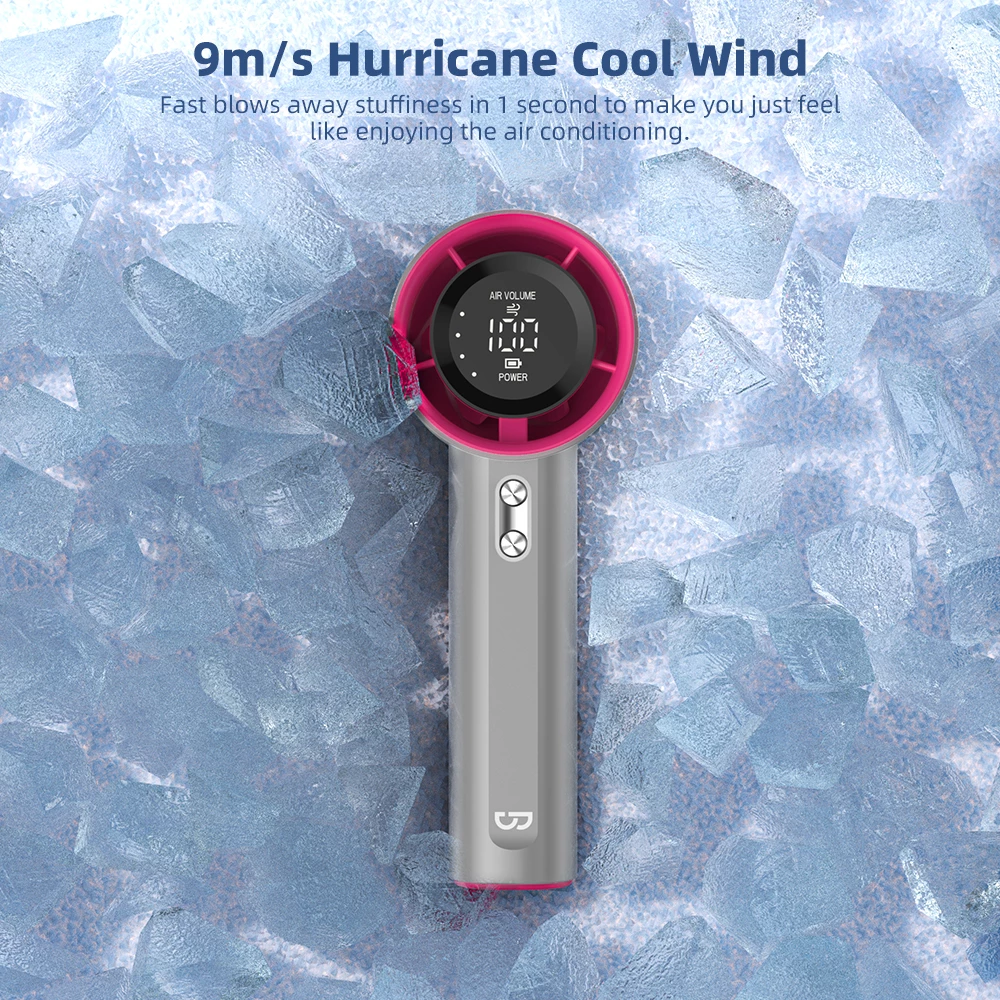
Enter the small turbo fan. This isn’t your lola’s old, clunky electric fan or a flimsy mini-fan that barely moves the air. A small turbo fan is a marvel of modern engineering, designed to be a compact powerhouse. It uses advanced aerodynamics and powerful, efficient motors to create a strong, focused blast of air that truly makes a difference.
It’s the ultimate personal cooling device for the modern Filipino lifestyle. It’s small enough to fit in your bag, powerful enough to keep you cool during a sudden brownout, and quiet enough to not disrupt your focus at work or your sleep at night.
Your Guide to Making a “Sulit” Choice on Shopee & Lazada
But here’s the challenge: open Shopee or Lazada, and you’re flooded with thousands of options. They all look similar, with confusing technical jargon and prices ranging from cheap to surprisingly expensive. How do you choose the one that’s truly “sulit” and won’t break after a month?
That’s exactly why we created this guide. We’re here to cut through the marketing noise and empower you with the knowledge to make a smart buying decision. This isn’t about recommending a specific brand; it’s about teaching you how to read between the lines of a product listing.
In this ultimate 2025 guide, you will learn:
- The real difference between a “turbo” fan and a regular mini-fan.
- The non-negotiable features to look for, from motor type to battery life.
- How to decode technical specs and read user reviews like a pro.
- Tips to make your fan last longer and serve you well beyond your desk.
By the end of this article, you’ll be able to confidently browse Shopee and Lazada, armed with the insight to choose a small turbo fan that perfectly fits your needs and budget. Ready to find your new best friend for beating the heat? Let’s dive in, Kabayan!
.webp)
What Makes a “Turbo” Fan Different from a Regular Mini Fan?
You’ve seen them all over Shopee and Lazada: tiny fans that promise a powerful, “turbo” blast of air. But is it just a clever marketing term, or is there real technology behind the hype? Let’s get straight to it: the difference is significant, and it lies in the engineering designed to combat intense tropical heat like ours.
A regular mini fan often feels like it’s just pushing the same hot, humid air around. A small turbo fan, on the other hand, is built to create a focused, high-velocity stream of air that actually cools you down. It’s not magic; it’s just better science.
The Core Technology: It’s All in the Air and the Engine
The secret to a turbo fan’s power isn’t its size, but what’s inside. Two key components set it apart from its less powerful cousins: sophisticated blade design and a modern, efficient motor.
Aerodynamic Blade Design
Think about the difference between a simple pinwheel and an airplane’s jet engine. Old-school mini fans have basic, flat blades that essentially “slap” the air. They create a wide, weak, and turbulent breeze that dissipates quickly.
Turbo fans utilize aerodynamic principles. Their blades are deeply pitched and curved, sometimes even resembling the propellers of a drone. This design doesn’t just push air; it pulls it in, compresses it, and then shoots it out in a tight, concentrated column. This focused jet of air travels farther and feels significantly stronger on your skin, even from a distance.
The Brushless DC Motor Revolution
This is the real game-changer. Most cheap, regular mini fans use traditional “brushed” motors. These motors rely on tiny carbon brushes to conduct electricity, which create friction, generate heat, and produce more noise. They are inefficient and wear out over time.
In 2025, the gold standard is the Brushless DC (BLDC) motor. This is the same technology that powers high-performance devices like computer hard drives and professional drones. Instead of friction-based brushes, BLDC motors use magnets and electronics to spin the fan. This results in three massive advantages:
- More Power, Less Waste: They are vastly more efficient, converting more electricity directly into rotational power instead of wasting it as heat.
- Whisper-Quiet Operation: The absence of friction from brushes makes them significantly quieter.
- Exceptional Durability: With fewer physical parts to wear down, a brushless motor can last for thousands of hours longer than a brushed one.
Key Advantages for the Filipino Lifestyle
Understanding the tech is one thing, but how does it translate into real-world benefits for us here in the Philippines? This is where a small turbo fan goes from being a gadget to an essential part of your daily kit.
Superior Cooling Power: Cutting Through the Alinsangan
We all know that feeling of alinsangan—the oppressive, sticky, humid heat that makes you feel like you’re swimming through the air. A weak fan does little to help. The focused, high-speed airflow from a turbo fan is powerful enough to cut through that layer of humidity on your skin, promoting faster evaporation of sweat. This creates a genuine cooling effect, providing immediate and noticeable relief, whether you’re at your desk or waiting for a ride under the midday sun.
Energy Efficiency: Friendlier to Your Meralco Bill and Power Bank
With electricity costs always on our minds, efficiency matters. The brushless motor in a turbo fan consumes significantly less power to produce a stronger breeze. When plugged in, this means a small but welcome saving on your Meralco bill over the long run.
The more critical advantage is for portability. This superior efficiency means a turbo fan can run much longer on a single battery charge. A standard mini fan might give you 2-3 hours of use, but a quality turbo fan with a similar-sized battery could easily last 5, 6, or even more hours on a medium setting. That’s enough to get you through a long commute, a work session at a coffee shop, or an unexpected brownout at home.
Compact and Portable: Your Personal Breeze, Anywhere
This is the ultimate promise of the small turbo fan. Its ability to deliver serious cooling power in a device that can fit in your tote bag or backpack is revolutionary. It becomes your personal, portable air-conditioner for situations where you have no control over the temperature.
Imagine being stuck in traffic on EDSA, enduring a crowded LRT platform, or studying in a warm library corner. A small turbo fan provides an instant bubble of comfort. It’s an indispensable tool for students, office workers, commuters, and anyone who wants to beat the heat on their own terms, wherever they may be.
The Ultimate 2025 Checklist: Top Features to Look for Before Buying
Navigating Shopee and Lazada can feel like diving into a sea of endless choices. To make a truly “sulit” (worth it) purchase, you need to be a “wais” (smart) buyer. It’s not just about the color or the price tag. The real value is hidden in the technical specifications. This checklist is your secret weapon to identify a high-performance small turbo fan that will be your reliable companion against the Philippine heat.
Let’s break down the four most critical features you must absolutely check before you click “Add to Cart.”
Motor Matters: The Unseen Engine of Your Fan
The motor is the heart of your fan. In 2025, there is one clear winner you should always look for, and ignoring this could mean the difference between a fan that lasts for years and one that gives up after a few months.
Why a Brushless Motor is Your Best Bet
If you see “brushless DC motor” in the product description, that’s a massive green flag. Think of it as choosing an inverter aircon over an old window-type model. It’s simply the more advanced, efficient, and durable technology.
- Unmatched Longevity: Traditional brushed motors use physical brushes that create friction, wear down, and eventually fail. A brushless motor operates using magnets and electronics, meaning there are far fewer parts to break. This fan won’t just last through this year’s dry season; it will be with you for many more to come.
- Whisper-Quiet Operation: The friction in brushed motors is a major source of noise. Brushless motors, by contrast, are incredibly quiet. This is the difference between a distracting hum during your Zoom meeting and a gentle, almost unnoticeable breeze while you sleep.
- Superior Battery Efficiency: Because there’s no energy lost to friction, brushless motors sip power instead of guzzling it. A fan with a brushless motor can run up to 50% longer on the same battery charge compared to an old-school brushed one. That means more cooling power when you need it most, especially during a brownout.
While a fan with a brushed motor might be a few pesos cheaper, the long-term value, quietness, and extended battery life of a brushless model make it the undisputed champion for any smart buyer.
The Brownout-Proof Factor: Battery Life and Charging
In the Philippines, a portable fan isn’t just a convenience; it’s an essential tool for survival during unexpected power interruptions. A fan with a weak battery is useless when Meralco decides to take a break. Here’s how to ensure your fan is a reliable workhorse.
Decoding mAh: Your Battery’s “Gas Tank”
You’ll see a number followed by “mAh” (milliampere-hours) in every fan’s specs. Don’t let it intimidate you. It’s simply a measure of the battery’s capacity—its ‘gas tank’. The higher the number, the longer it will run.
- Below 2000mAh: Consider this a ‘short trip’ battery. It’s okay for quick uses, but don’t expect it to last through a long meeting or a multi-hour brownout.
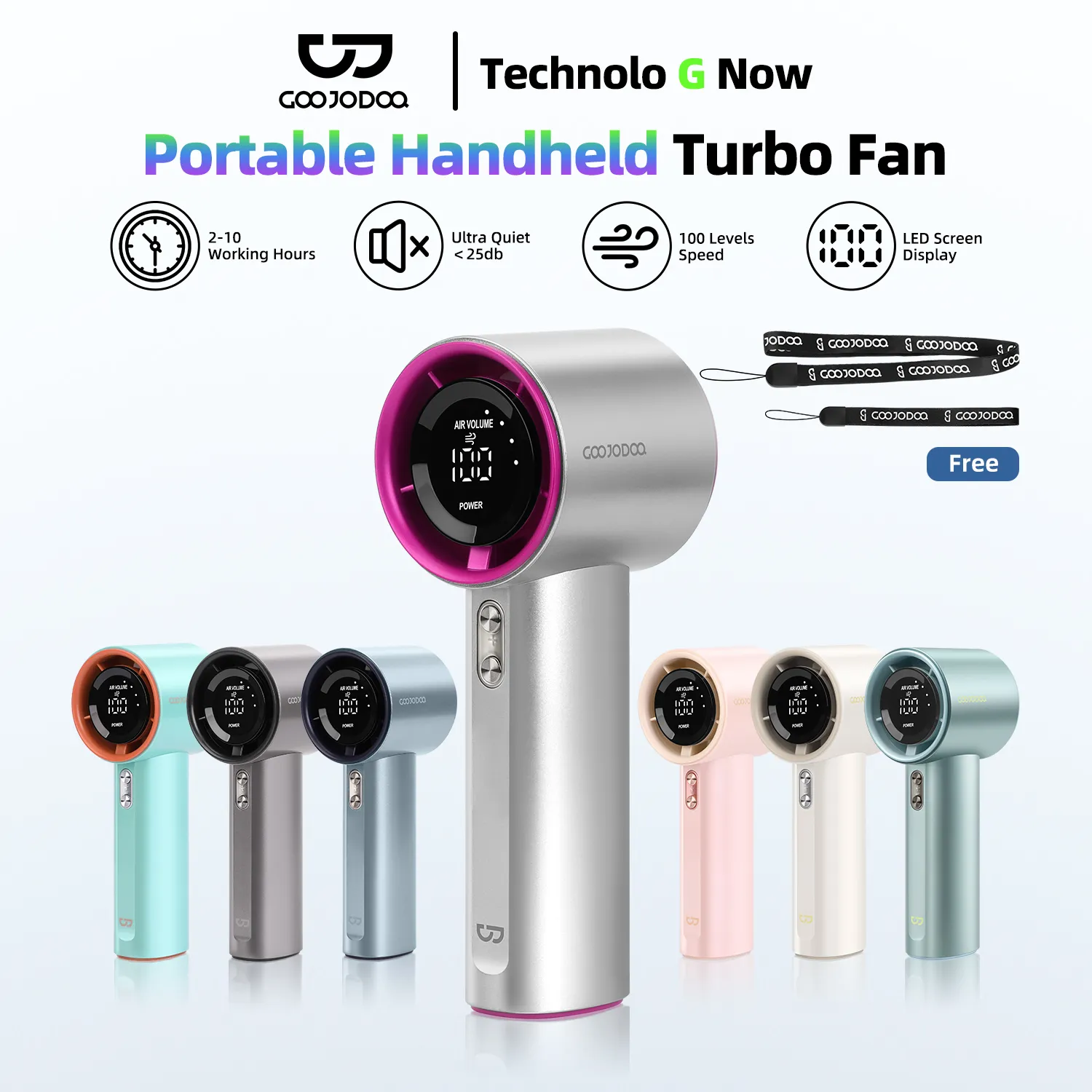
- 3000mAh – 5000mAh: This is the sweet spot for most users in 2025. A battery in this range offers a great balance of portability and endurance, typically providing several hours of use even at medium speeds.
- Above 5000mAh: This is a ‘long-haul’ battery, perfect for those who need a fan to last a full workday or through the night without a power source. These fans might be slightly bulkier but are the most reliable during extended power outages.
Why USB-C is Non-Negotiable in 2025
Still using a fan with an old micro-USB port? It’s time to upgrade. USB-C is the modern standard for a reason. It offers faster charging speeds, meaning less downtime for your fan. Plus, the connector is reversible, so you won’t be fumbling in the dark trying to plug it in during a power cut. Since most new phones and gadgets now use USB-C, it means you only need one cable for everything.
Reading Between the Lines: Advertised vs. Real-World Hours
Be skeptical of bold claims like “24-hour battery life!” Sellers often advertise the fan’s runtime on its lowest, gentlest setting. To get a real picture, dive into the user reviews. Look for comments from fellow Pinoys about how long the battery actually lasts on medium (Speed 2) or high (Speed 3) settings. That’s the real-world performance you can expect.
More Than Just On/Off: Mastering Your Airflow
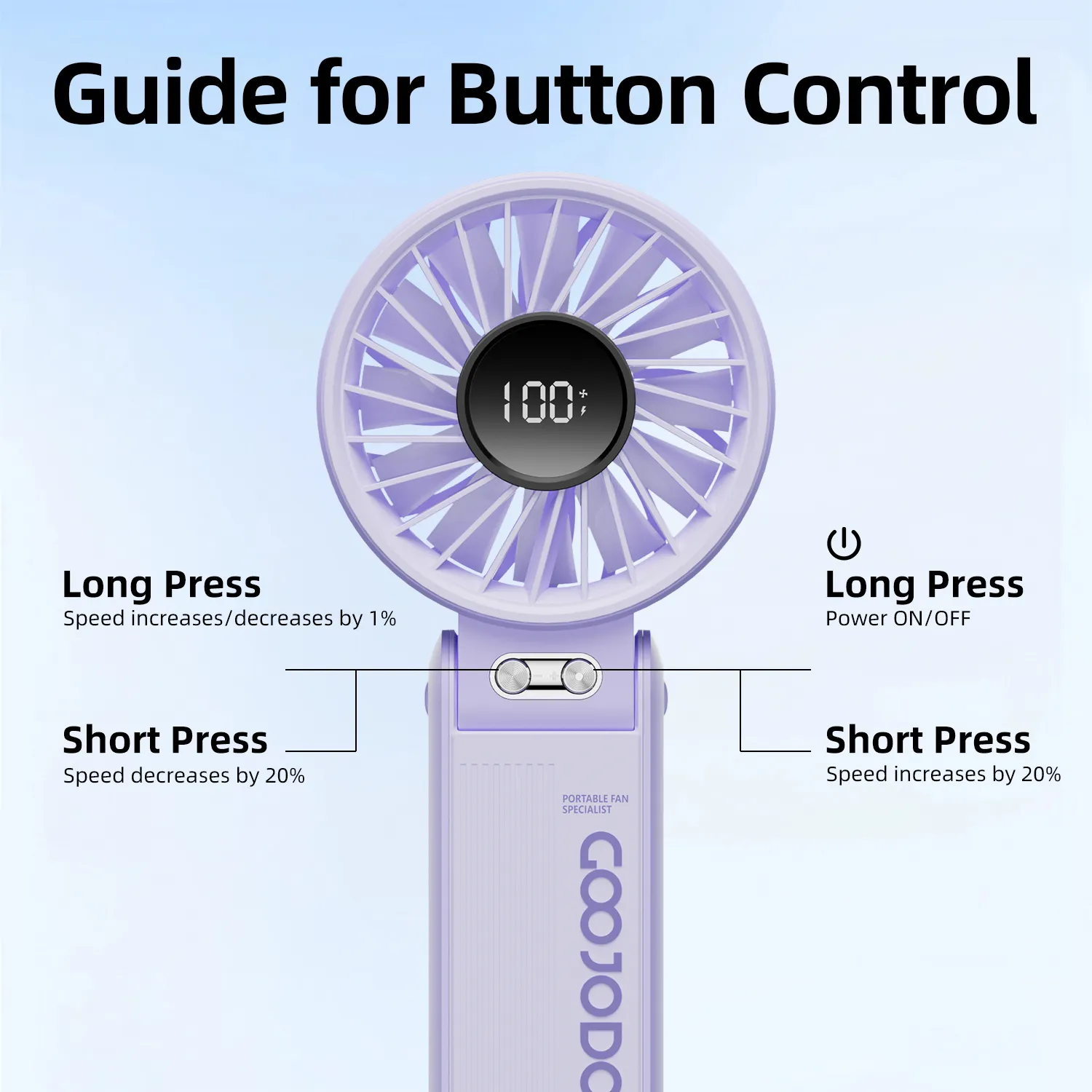
A great small turbo fan doesn’t just blow air; it gives you precise control over it. This flexibility is crucial for adapting to different situations, from needing a silent breeze at your desk to a powerful gust after a hot commute.
Finding Your Perfect Breeze: The Importance of Speed Settings
Look for a fan with at least three speed settings. A single-speed fan is a one-trick pony. Multiple settings allow you to tailor the airflow to your exact needs:
- Low Speed: Perfect for keeping on your bedside table overnight without being disruptive or using too much battery.
- Medium Speed: The ideal setting for personal cooling at your office desk or while eating lunch.
- High/Turbo Speed: Your emergency button for instant relief after coming in from the sweltering heat or for when the humidity feels suffocating.
Directing the Wind: The Power of a Tilting Head
Don’t overlook the fan’s physical adjustability. A fan head that can pivot up and down is incredibly useful. It allows you to aim the airflow precisely where you want it—whether at your face, your laptop to prevent overheating, or upwards to help circulate air in a stuffy room—without having to move the entire unit.
The Sound of Silence: Why Noise Level (dB) Matters
Have you ever been driven mad by a constant, high-pitched buzzing from a cheap fan? That’s why the noise level, measured in decibels (dB), is a critical feature, especially if you plan to use your fan in a quiet environment.
What are Decibels (dB)? A Simple Guide
You don’t need to be a sound engineer to understand dB ratings. Just think of it this way: lower is always better. While not all sellers list this, premium models often do because it’s a mark of quality engineering (usually thanks to that brushless motor we talked about).
- 20-30 dB: This is the gold standard. It’s as quiet as a whisper or the rustling of leaves. A fan in this range will never disturb your sleep or your concentration.
- 31-45 dB: This is similar to the hum of a modern refrigerator. It’s noticeable but generally not intrusive for daytime use in an office or living room.
- 50+ dB: This starts to get loud, approaching the level of a normal conversation. A fan this noisy can be distracting and is not ideal for quiet settings.
If the dB rating isn’t in the product description, your best bet is to search the user reviews for keywords like “noise,” “quiet,” or “loud.” Fellow buyers will almost always give you the honest truth about how noisy the fan really is.
How to Decode Product Listings on Shopee & Lazada
Scrolling through Shopee and Lazada can feel like navigating a maze. Every small turbo fan claims to be the “strongest,” “quietest,” or “longest-lasting.” So, how do you find the truth? The secret is learning to read between the lines. It’s about looking past the flashy photos and marketing buzzwords to find the hard data and real user experiences that tell the full story. Think of yourself as a detective; this guide is your magnifying glass.
Reading the Technical Specs: Your Secret Weapon
This is where you find the cold, hard facts. Tucked away in the “Product Details” or “Specifications” tab is the information that separates a genuinely good fan from a cheap imitation. At first, it might look like a jumble of letters and numbers, but understanding just a few key terms will make you a much smarter shopper.
RPM (Revolutions Per Minute): The Real Measure of “Lakas ng Hangin”
Forget vague descriptions like “Super Strong Wind!” The most reliable indicator of a fan’s power is its RPM. This number tells you exactly how fast the fan blades spin per minute. It’s a direct measurement of the motor’s speed.
A higher RPM generally translates to a more powerful and focused stream of air—the kind you need to cut through that thick, humid Philippine air. While sellers might not always advertise it upfront, a quick scan of the specs can reveal it. For a quality small turbo fan in 2025, look for a model that offers a range, typically starting from a gentle 2,000 RPM up to a powerful 4,000 RPM or more on its highest setting. This gives you the flexibility you need for any situation.
Power (Watts): The Impact on Your Meralco Bill and Power Bank
The power rating, measured in Watts (W), tells you how much energy the fan consumes. This is a crucial detail for two very Filipino reasons: your electricity bill and the life of your power bank during a brownout.
A lower wattage means the fan is more energy-efficient. Your goal is to find the sweet spot: a fan with a high RPM but a low wattage. A typical range for these fans is between 2W and 5W. If you see a fan with a 4,000 RPM motor that only uses 4W, you’ve found an efficient machine. This means you can run it for hours off a power bank without draining it, or leave it plugged in at your desk without worrying about a spike in your Meralco bill. It’s the definition of a “sulit” purchase.
Materials: Will It Survive a Tumble from Your Desk?
Let’s be honest, things get knocked over. The durability of your fan depends entirely on what it’s made of. Most listings will just say “plastic,” but you should look for one specific type: ABS plastic.
ABS (Acrylonitrile Butadiene Styrene) is the same tough, lightweight material used to make things like Lego bricks and keyboard caps. It’s engineered to be impact-resistant and durable. A fan made from ABS plastic is far more likely to survive an accidental fall compared to one made from cheap, brittle plastic that can crack easily. If the seller proudly states “Made from high-quality ABS plastic,” it’s a green flag indicating they’ve invested in better materials.
The Power of User Reviews: The Ultimate “Marites” for Smart Shopping
If the technical specs are the fan’s resume, the user reviews are the background check. This is where you get the real, unfiltered truth from fellow Pinoys who have already bought and tested the product. The review section is your best friend—it’s where you find out if the fan lives up to its promises.
Hunt for Real-World Feedback on Battery and Wind Strength
A product page might claim “10 hours of battery life,” but the real question is, at what speed? Real user reviews will give you the answer. Don’t just look at the 5-star rating; dive into the comments.
- Search for keywords: Use the search bar in the reviews section (if available) or just skim for words like “battery,” “hours,” “tagal,” “wind,” and “lakas.”
- Look for specifics: The best reviews will say something like, “The battery lasted about 4 hours on speed setting 2, which is strong enough for my desk.” This is infinitely more useful than the seller’s marketing claim.
- Manage expectations: User feedback will ground you in reality, helping you understand the fan’s actual performance, not just its on-paper potential.
Listen for Clues on Noise and Durability
Two things you will almost never see on a product page are the noise level and long-term durability. This information comes almost exclusively from other buyers.
For noise, look for comments that mention where they use the fan. Phrases like “quiet enough for the office,” “medyo maingay sa highest setting,” or “perfect for my baby’s room” give you a practical understanding of the sound it makes. As for durability, seek out reviews that aren’t posted on the day of delivery. A review that says, “Been using this for 3 months, and it’s still working perfectly!” is worth its weight in gold. It’s a sign that the fan is built to last.
Trust, But Verify with Photos and Videos
This is perhaps the most powerful tool on Shopee and Lazada. Customer-uploaded photos and videos cut through all the marketing and show you the product in a real-world setting.
- Check Photos for Scale: A seller’s photo can be misleading. A user photo showing the fan next to a coffee mug, a phone, or their hand gives you an immediate and accurate sense of its actual size. You can also inspect the build quality from these unedited pictures.
- Watch Videos for the Ultimate Test: Videos are the best. A user might point the fan at a plant’s leaves or a piece of paper to demonstrate the actual wind strength. Most importantly, you can hear the motor’s noise for yourself. Is it a quiet whir or an annoying buzz? The video will tell you instantly.
By combining a careful reading of the technical specs with a deep dive into user reviews, you transform from a casual browser into an empowered, expert buyer ready to find the perfect small turbo fan to beat the heat.

More Than Just a Desk Fan: Creative Uses for Your Small Turbo Fan
You probably bought your small turbo fan with one goal in mind: to survive your desk job without melting. But let’s be real, in the Philippines, a fan is more than just an office accessory; it’s a survival tool. The true “sulit” value of these powerful little gadgets shines when you think beyond the desk. In 2025, it’s time to unlock its full potential.
Think of it as your personal, portable problem-solver. From battling the dreaded “kulob” smell to saving your WFH setup from overheating, this fan is the unsung hero of your daily life. Let’s explore some of the most ingenious ways Pinoys are using their small turbo fans.
Beating the Humidity: Your Secret Weapon Against “Kulob”
We all know that suffocating feeling. You walk into a room, and the air is so thick and still you can almost taste it. This is the breeding ground for “kulob,” that damp, musty smell that clings to everything in a humid climate like ours. A small turbo fan is your best defense.
Improve Air Circulation in Stuffy Spaces
Your typical condo bedroom or a small boarding house room can feel like a hot box, especially in the afternoon. A full-sized electric fan can be too bulky or noisy. A small turbo fan, however, is perfect.
- Strategic Placement is Key: Don’t just point it at yourself. Place the fan near an open window or door to create a cross-breeze. This simple act pushes the stale, humid air out and pulls fresher, drier air in. It’s a game-changer for making a small space feel more breathable.
- Post-Shower Savior: Your bathroom after a hot shower is a mini-sauna. Point a turbo fan into the doorway for 10-15 minutes to quickly disperse the steam. This helps prevent moisture buildup, which can lead to mold and mildew over time.
- Freshen Up Cabinets: Have a closet or a kitchen cabinet that smells a bit off? Open it up and let your turbo fan run, pointed inside, for about 30 minutes. It works wonders to air things out.
The Ultimate “Sampay” Assistant During the Rainy Season
The rainy season in the Philippines is a battle. Not against the rain itself, but against the challenge of drying clothes indoors. Nothing is more frustrating than laundry that takes two days to dry and ends up with that awful “amoy kulob.”
Speed-Dry Your Laundry, No Matter the Weather
Forget hanging clothes and just praying they dry. Your small turbo fan can become a high-powered laundry assistant.
Set up your indoor clothes rack (“sampayan”) and aim your turbo fan directly at it. The focused, powerful airflow dramatically accelerates the evaporation process. What would normally take a full day might now be dry in just a few hours. This is especially crucial for school uniforms or work clothes you need for the next day.
This method is far more energy-efficient than running a large, oscillating electric fan for 12 hours straight. It targets the air exactly where it’s needed, saving you precious pesos on your Meralco bill.
Outdoor and Travel Companion: Your “Bantay” Against the Heat
This is where the portability of a small turbo fan truly shines. Its lightweight design and long-lasting battery make it an essential item in every Pinoy’s bag. It’s your personal guard (“bantay”) against the relentless tropical heat when you’re on the move.
Never Sweat in Public Again
Think about all the times you wished for a breeze:
- During Your Commute: Stuck in a non-aircon jeepney or UV Express during rush hour? A small turbo fan provides immediate relief, creating your own personal cool zone.
- Waiting in Line: Whether you’re queuing for the MRT, lining up at a bank, or waiting for your food order, a blast of cool air can make the wait so much more bearable.
- The “Brownout” Lifesaver: When the power goes out, and your main fans are useless, this is your hero. A fully charged turbo fan can give you hours of cooling comfort, helping you sleep or get through the day until the electricity returns.
- Beach Trips and Picnics: Enjoying a day at El Nido or a picnic at Luneta Park is great, but the heat can be draining. Your fan ensures you stay comfortable while enjoying the view.
For Hobbyists and Techies: The Overheating Prevention Tool
In our increasingly digital world, our gadgets are working harder than ever. From work-from-home laptops to high-powered gaming phones, heat is the number one enemy of performance. Your small turbo fan is a simple yet surprisingly effective solution.
Keep Your Gadgets Cool and Running Smoothly
Ever notice your laptop slowing down after hours of video calls, or your phone getting hot during an intense Mobile Legends match? That’s called thermal throttling. When a device gets too hot, it intentionally slows itself down to prevent damage.
Position your small turbo fan to blow air across your laptop’s keyboard or near its exhaust vents. For your phone, a small stand and the fan pointed at its back can make a huge difference. This external cooling helps the device maintain its peak performance for longer periods.
More Creative Tech and Hobby Uses
- Cool Down Your Router: Wi-Fi routers can overheat, especially when tucked away in a cabinet, causing your internet to slow down or disconnect. A little airflow can ensure it runs optimally.
- For the Artists: Need to speed up the drying time for your acrylic paints or watercolor art? A gentle breeze from your fan can work wonders.
- DIY and Crafting: Working with model glue or other adhesives that need to set? The fan helps speed up the curing process, letting you move on to the next step of your project faster.
So, the next time you look at your small turbo fan, don’t just see a desk accessory. See a multi-purpose tool that makes Pinoy life easier, more comfortable, and a lot more “sulit.”

Make Your Small Turbo Fan Last: Pro Care and Safety Tips
So you’ve found the perfect small turbo fan on Shopee or Lazada. Congratulations! But getting it is only half the battle. To make sure your new gadget is truly sulit (worth the money) and ready for the next heatwave or surprise brownout, a little care goes a long way. Think of it as protecting your investment.
Ignoring basic maintenance is the fastest way to turn a powerful cooling companion into a noisy, weak, or completely dead desk ornament. Here’s everything you need to know to keep your fan running like new for years to come.
Mastering the Charge: How to Protect Your Fan’s Battery
The single most important component of your portable fan is its battery. Just like with your smartphone, how you charge it directly impacts its lifespan and performance. Bad habits can permanently cripple its ability to hold a charge, leaving you powerless when you need it most.
H4: Ditch the “Charge-and-Forget” Mentality
The biggest mistake is treating your fan’s battery like an old-school device. Modern lithium-ion batteries, which are in 99% of these fans, don’t like to be drained to 0% or kept at 100% for long periods. Constant full-to-empty cycles create stress and degrade the battery faster.
A much healthier approach is the 20-80 rule. Try to plug it in when the battery gets down to around 20% and unplug it once it reaches 80-90%. You don’t have to be exact, but avoiding the extremes will significantly extend its life.
H4: Your Charger and Cable Matter More Than You Think
Not all chargers are created equal. That cheap, unbranded charger you bought on the bangketa (sidewalk) might seem like a bargain, but it can be a death sentence for your fan’s battery.
- Use Quality Gear: Always try to use the cable that came with your fan. If you need a replacement, choose one from a reputable brand. These cables and chargers have circuitry that delivers a stable and correct voltage.
- Avoid “Use While Charging”: Using your fan on its highest setting while it’s plugged in generates a lot of heat. Heat is the number one enemy of battery health. If you must use it while charging, stick to the lowest speed.
- Don’t Leave It Plugged In Overnight: While most modern devices have overcharge protection, it’s still best practice to unplug them once they are full. This prevents unnecessary heat buildup and micro-stresses on the battery components.
The Secret to Strong Airflow: Simple Cleaning and Maintenance
Ever notice your fan getting weaker or noisier over time? The culprit is almost always a buildup of dust and grime. Here in the Philippines, alikabok (dust) is a fact of life, and it can clog your fan’s blades and grille, chocking its airflow and making the motor work harder.
A clean fan isn’t just more powerful; it also provides cleaner air. You don’t want to be blowing a cloud of dust mites around your workspace or bedroom. Cleaning is easy and takes less than five minutes.
H4: Your 5-Minute Cleaning Routine
Perform this quick maintenance every couple of weeks, or whenever you see visible dust.
- Safety First: Make absolutely sure the fan is turned off. If it’s a model that can run while plugged in, unplug it completely.
- Access the Blades: Many small turbo fans in 2025 are designed for easy cleaning, with a front grille that twists off. Check your fan’s product page or manual to see if this is possible. If not, you can still clean through the grille.
- Wipe It Down: Use a dry microfiber cloth or a slightly damp cloth (not wet!) to wipe each fan blade. For hard-to-reach spots and the grille, a cotton bud or a small, soft brush (like an old, clean toothbrush) works wonders.
- No Harsh Chemicals: Never spray cleaners directly onto the fan or immerse any part in water. This can damage the motor and electronics. Stick to plain water on your cloth if needed.
- Reassemble and Enjoy: Once everything is dry, put the grille back on. You’ll immediately notice a stronger, quieter breeze.
Common Sense Safety: Preventing Accidents and Damage
Finally, a few simple safety rules will prevent common accidents that can instantly break your fan or create a hazard. These might seem obvious, but they are often the first things we forget during a busy day.
H4: Water is the Ultimate Enemy
Keep your fan away from liquids. This is non-negotiable. A spilled glass of water, a morning coffee, or even taking it to the beach and getting it splashed can short-circuit the electronics. Find a safe spot on your desk away from any drinks.
H4: Give It a Stable Foundation
Placing your fan on a wobbly stack of books or the edge of a table is asking for trouble. A fall can easily crack the plastic housing or, worse, damage the delicate motor assembly inside. Ensure it’s on a flat, stable surface where it won’t be easily knocked over.
H4: Keep Small Hands (and Paws) Away
If you have kids or pets, be mindful of where you place the fan. While the grilles are designed to prevent fingers from getting in, a curious child might try to poke objects through the slats. Always place it out of their immediate reach to be safe.
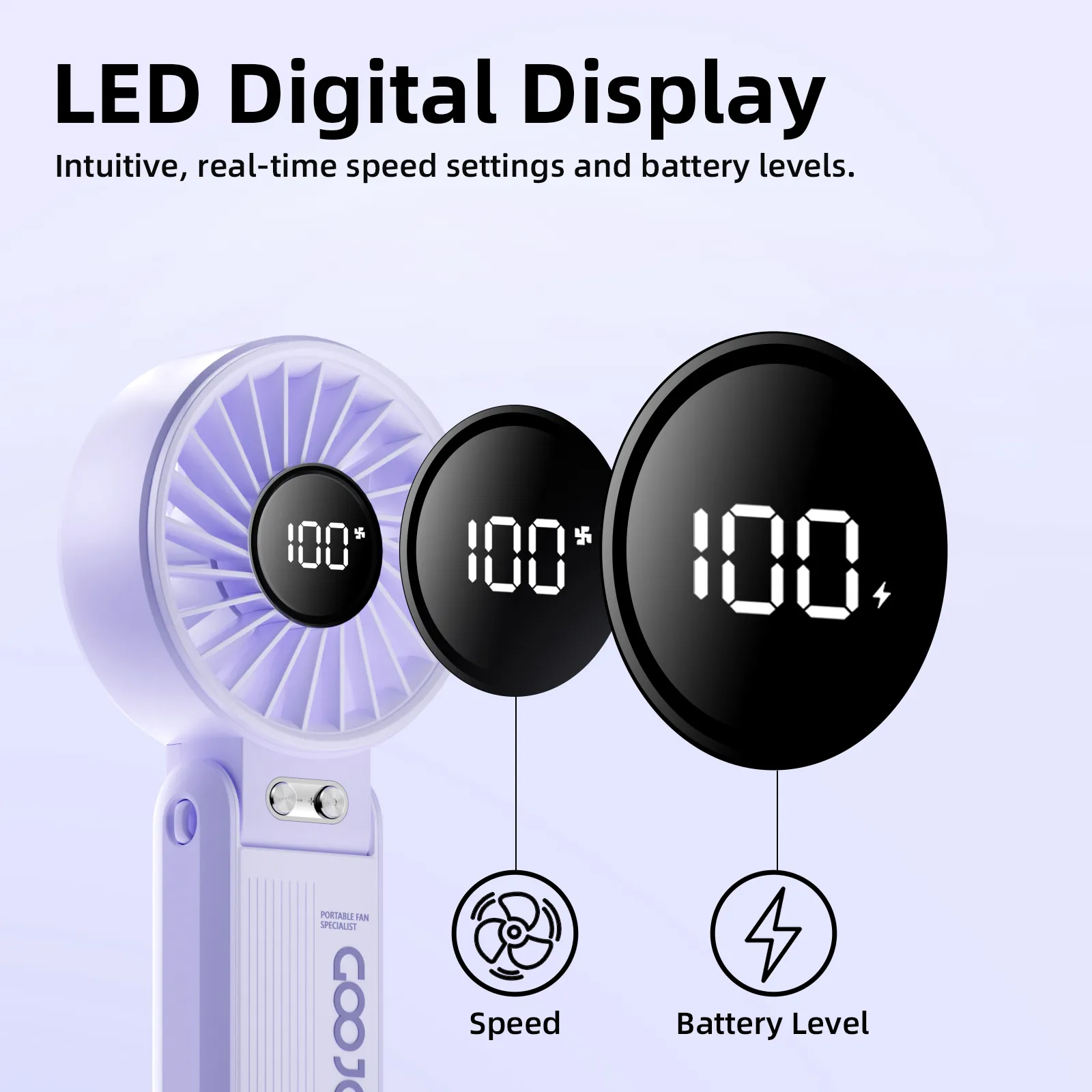
Conclusion: Making the Smart and “Sulit” Choice
So, you’ve made it through the jungle of tech specs and marketing promises. The most important takeaway? Finding the best small turbo fan in 2025 isn’t about chasing the most popular brand or the flashiest design you see on your feed. It’s about being a “wais na mamimili”—a smart shopper.
The real power lies in understanding what makes a fan truly effective and long-lasting for the demanding Philippine climate. It’s about getting the most bang for your buck, a true “sulit” investment for your comfort.
Your Quick Checklist Before You Checkout
As you dive into Shopee and Lazada, keep this simple checklist in your mind. Don’t just look at the pretty pictures; hunt for these details in the product description. This is what separates a gimmick from a game-changer.
- The Motor is the Heart: Always prioritize a brushless DC motor. It’s the difference between a fan that lasts for years and one that gives up after a few months of heavy use. It’s your ticket to quieter operation and better energy efficiency.
- The Battery is Your Lifeline: In a country where brownouts are a reality, battery is king. Look for clear mAh capacity figures and, crucially, USB-C charging. This modern standard means faster charging and one less cable to worry about.
- You Control the Breeze: Don’t settle for a simple on/off switch. Multiple speed settings give you the flexibility you need, from a gentle breeze at your desk to a powerful blast during a humid afternoon.
- Peace and Quiet Matters: A fan should fight the heat, not your concentration. Check for low decibel (dB) ratings. A quiet fan is a blessing in the office or when you’re trying to sleep on a warm night.
You’re Now a Pro Shopper, Not Just a Scroller
Let’s be real, scrolling through endless product listings can be exhausting. But now, you’re no longer just a passive browser. You are equipped with the exact knowledge needed to decode those technical descriptions and read between the lines of user reviews.
You can now confidently distinguish a fan with a powerful, efficient motor from one with cheap, noisy components. You understand why a 5000mAh battery with USB-C is far superior to an older model with a vague “long-lasting” claim. This knowledge transforms you from a mere consumer into an informed buyer, ready to make a decision that perfectly fits your lifestyle and budget.
Think of this guide not just as information, but as empowerment. It’s your shield against clever marketing and your compass to navigate the massive online marketplace. The goal is to find a reliable “bantay” (guard) against the “init” (heat) that will serve you well, whether you’re stuck in traffic, working from home, or facing an unexpected power interruption.
Ready to Find Your Cool?
The perfect small turbo fan is out there waiting for you. Use this guide as your ultimate checklist while you browse. Compare the specs, read the reviews with a critical eye, and trust your newfound expertise.
You have everything you need to choose a device that won’t just cool you down for a season, but will become an indispensable part of your daily Filipino life.
Stay cool, Kabayan! Make a smart choice and beat the heat in 2025.

Sale
- 3-Month Extended Replacement Plan
GOOJODOQ Portable Fans High-Speed GFS006
Original price was: ₱869.00.₱830.00Current price is: ₱830.00. Select options This product has multiple variants. The options may be chosen on the product pageSale
- 3-Month Extended Replacement Plan
GOOJODOQ High Speed Handheld Fan GFS001
Original price was: ₱827.40.₱680.00Current price is: ₱680.00. Select options This product has multiple variants. The options may be chosen on the product pageSale
- 3-Month Extended Replacement Plan
GOOJODOQ High Speed Mini Fan GFS007
Price range: ₱520.00 through ₱580.00 Select options This product has multiple variants. The options may be chosen on the product pageSale
- 3-Month Extended Replacement Plan
GOOJODOQ Foldable Portable Fan GFS003
Original price was: ₱523.95.₱489.00Current price is: ₱489.00. Select options This product has multiple variants. The options may be chosen on the product page
09Apr


 29Apr
29Apr
 30Apr
30Apr