







 09Apr
09Apr
The Unsung Hero of Urban Comfort
You know the exact moment it happens. The steady, comforting hum of the air conditioner or the whir of the wall fan suddenly dies. A heavy, sticky silence descends, and in that split second, you feel it—a bead of sweat forming on your temple. The brownout has struck again, and the relentless Manila heat is already reclaiming the room.
This isn’t a rare inconvenience; it’s a predictable part of life in the metro. For those of us navigating the vibrant but challenging landscape of Manila in 2025, this scenario is all too familiar.
Manila’s Double Threat: Searing Heat and Sudden Blackouts
Let’s be honest, surviving in the city is a battle on two fronts. First, there’s the heat. We’re not just talking about a high number on the thermometer. PAGASA constantly warns us about the “heat index,” the temperature the human body actually feels when humidity is combined with the air temperature. A 34°C day can easily feel like a suffocating 42°C, turning a simple task into a sweaty ordeal.
Then comes the second punch: the unpredictable power grid. During the peak of the dry season, “rotating brownouts” become a daily lottery. The strain on the power infrastructure means that at any moment, your productivity, your comfort, and even your ability to get a decent night’s sleep can be cut off without warning.
This combination is more than just uncomfortable. It drains your energy, kills your focus while working from home, and frays your nerves. It’s a daily struggle against forces beyond your control.
Your Pocket-Sized Lifeline: The Mini Electric Fan
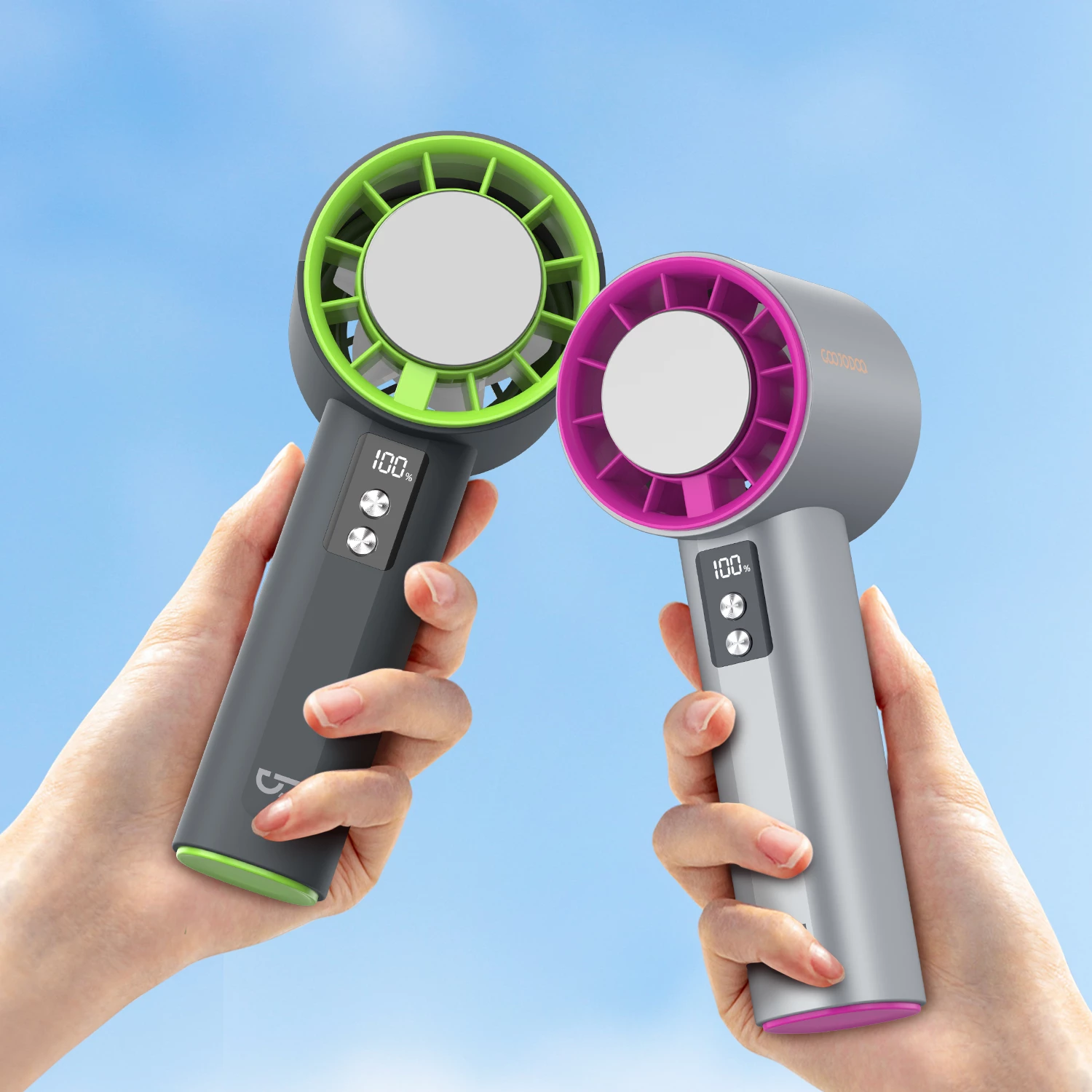
In this constant struggle, a hero emerges. It’s not a high-tech gadget or an expensive generator. It’s the humble, yet incredibly effective, long-lasting mini electric fan.
Forget seeing it as just a small accessory. Think of it as your personal, portable pocket of cool; a crucial tool for reclaiming your comfort and sanity. This isn’t just about creating a breeze. It’s about empowering yourself with a reliable solution that works when the city’s infrastructure doesn’t. It’s your first line of defense, ensuring that when the lights go out, your sense of calm and well-being doesn’t go with them.
.webp)
Why the Manila Heat and Brownouts Are a Perfect Storm
Living in Manila means mastering the art of dealing with two relentless forces: the suffocating heat and the unpredictable power supply. On their own, each is a challenge. Together, they create a perfect storm of discomfort that can grind your productivity, and your patience, to a halt. This isn’t just an inconvenience; it’s a fundamental reality of urban life in the Philippines that demands a smart solution.
The Climate Factor: It’s Not the Heat, It’s the Humidity
You glance at the weather app. It says 34°C. “Manageable,” you think. But the moment you step outside, you’re hit by a wall of heat that feels closer to 45°C. What’s going on? Welcome to the reality of the Philippine “heat index.”
The heat index, or what PAGASA often calls the “feels-like” temperature, is the real number you should be worried about. It measures how hot it really feels when relative humidity is factored in with the actual air temperature. In a city like Manila, where humidity levels can be sky-high, this number tells a much more accurate story.
How Humidity Turns Up the Dial
Think of it this way: your body’s natural air conditioner is sweat. As sweat evaporates from your skin, it cools you down. But when the air is already saturated with moisture (high humidity), your sweat can’t evaporate effectively. It just sits there, leaving you feeling sticky, clammy, and far hotter than the thermometer suggests.
This is why a dry 38°C in a desert might feel more comfortable than a humid 33°C in Manila. According to 2025 data from local climate trackers, when Manila’s heat index climbs into the “Danger” category (42°C to 51°C), the risk of heat cramps, heat exhaustion, and even heat stroke becomes incredibly serious. You’re not just uncomfortable; you’re in a physically taxing environment.
The Grid Reality: When the Lights Go Out
Just as the afternoon heat reaches its peak, it happens. The hum of the aircon cuts out. The whir of your electric fan sputters to a stop. A sudden, heavy silence descends, broken only by the sound of your neighbors groaning. You’ve been hit by a “brownout.”
These aren’t always random accidents. In the Philippines, we often experience “rotating brownouts,” which are scheduled (or sometimes unscheduled) power interruptions. Why do they happen so often, especially during the hottest months from March to May?
- Peak Demand Overload: When the heat index soars, everyone turns on their air conditioners and fans at full blast. This massive, simultaneous demand puts an immense strain on the nation’s power grid, often exceeding its capacity.
- Supply Issues: Sometimes, power plants go offline for maintenance precisely during these peak seasons, reducing the available electricity supply just when it’s needed most.
- The Unpredictability Factor: The worst part is the uncertainty. An outage can last for an hour or stretch on for the entire afternoon, leaving you powerless to plan your work, your chores, or even your rest.
The Combined Impact: A Recipe for Misery and Meltdowns
Now, combine that oppressive, non-evaporating humidity with the sudden loss of all your cooling appliances. The effect is immediate and brutal. The cool, conditioned air in your room is quickly replaced by stagnant, tropical heat. Within minutes, you’re sweating, your focus shatters, and a feeling of helpless frustration begins to set in.
Your Daily Life Under Siege
This dual threat creates a challenging environment that sabotages every aspect of your day:
For Work and Study: Trying to concentrate on a deadline or study for an exam is nearly impossible. Your laptop starts to overheat, your brain feels foggy, and every minute feels like an hour. Productivity plummets.
For Rest and Sleep: A brownout in the evening is even worse. Lying in bed in the dark, soaked in sweat, with no air moving—it’s a recipe for a sleepless night, leaving you drained and exhausted for the next day’s battle.
For Your Sanity: It’s a mental game. The constant, sticky discomfort wears you down, making you irritable and short-tempered. It’s this relentless combination of physical heat and power-grid anxiety that makes personal, off-grid cooling solutions not just a luxury, but an absolute necessity for survival in the city.

The Mini Electric Fan Advantage: More Than Just a Breeze
When you hear “mini electric fan,” you might picture a flimsy toy. But in the context of surviving Manila’s climate in 2025, this small device is a heavyweight champion of comfort. It punches far above its weight, offering a strategic advantage that bulky, traditional fans and power-hungry air conditioners simply cannot match, especially when the grid is unpredictable. It’s not just about moving air; it’s about reclaiming your personal space from the oppressive heat.
Let’s break down the three core advantages that elevate the long-lasting mini fan from a simple gadget to an essential part of your daily survival kit.
Ultimate Portability: Your Coolness, Unleashed
Think about the classic electric fan (the bentilador) that has been a fixture in Filipino homes for generations. It’s reliable, yes, but it’s tethered to a wall socket. Its location is a commitment. Moving it from the living room to the bedroom is a deliberate, often clumsy, act. This is where the mini fan completely changes the game.
From Room to Room, Without a Second Thought
Imagine this: you’re working at your dining table, and a brownout strikes. The oppressive heat begins to creep in. With a traditional fan, you’re stuck. With a mini fan, you simply pick it up and move to the balcony where there’s a natural breeze, creating a perfect combination of airflow. It follows you, not the other way around. It’s on your nightstand as you sleep, on the kitchen counter as you cook, and beside you on the sofa. This untethered freedom is its first superpower.
The Commuter’s Secret Weapon
Now, take that freedom outside. Have you ever been stuck in a non-airconditioned jeepney during rush hour on EDSA? Or waited in a long, humid line for the MRT? These moments are a true test of patience. A mini electric fan in your bag transforms these grueling experiences. It provides a personal bubble of relief, a small act of defiance against the sweltering public commute. It’s compact enough to slip into a tote bag or backpack, ready to be deployed the moment you need it most.
The Personal Cooling Zone: Smart, Efficient Relief
One of the biggest misconceptions about staying cool is that you need to lower the temperature of an entire room. This is incredibly inefficient, especially when you’re the only one in it. A mini fan operates on a much smarter principle: localized cooling.
Focused Airflow, Maximum Impact
Instead of trying to wage a losing battle against the ambient temperature of a whole space, a mini fan creates a “personal cooling zone.” It directs a concentrated stream of air exactly where you need it most—on your face, neck, and arms. This targeted approach accelerates the evaporation of sweat, which is your body’s natural cooling mechanism. The effect is immediate and profound, providing a sense of relief far greater than what a large fan oscillating across a room can offer. It’s the difference between a floodlight and a spotlight; one is broad and diluted, the other is focused and intense.
Energy and Cost Savings: A Win for Your Wallet and the Grid
In a city where Meralco bills can cause genuine anxiety, every watt counts. The mini electric fan is a champion of energy efficiency, offering significant savings both during power outages and in your day-to-day life.
A Stark Contrast in Consumption
Let’s put this into perspective with some typical numbers:
- Air Conditioning Unit: A standard window-type AC can easily consume 800 to 1,500 watts per hour.
- Standard Stand Fan: A traditional 16-inch bentilador typically uses between 50 and 75 watts.
- Long-Lasting Mini Electric Fan: Most high-quality, USB-charged mini fans operate on a mere 2 to 5 watts.
The difference is staggering. Running a mini fan is exponentially cheaper than any other cooling option. When the power is on, using it at your desk instead of blasting the aircon can lead to noticeable reductions in your monthly electricity bill. It’s an economically savvy choice that pays for itself over time.
Off-the-Grid Power Sourcing
During a brownout, this low power draw becomes even more critical. Because it uses so little energy, a mini fan can be powered for many hours by a standard power bank—the same one you use to charge your phone. This versatility ensures you have a reliable source of cool air that isn’t dependent on the stability of the city’s power grid, giving you true independence and peace of mind.

Decoding “Long-Lasting”: Key Features for Surviving a Brownout
When the power cuts out and the oppressive Manila heat starts to creep in, the term “long-lasting” on a mini electric fan’s box transforms from a simple marketing phrase into a critical survival feature. But what does it actually mean? It’s not just about the fan working for a long time in general; it’s about its ability to be your lifeline during those crucial, powerless hours. Let’s break down the essential features that separate a temporary gadget from a true brownout-beating companion.
The Heart of Endurance: Understanding Battery Capacity (mAh)
If there is one specification you must pay attention to, it’s this. The battery capacity, measured in milliampere-hours (mAh), is the single most important factor determining how long your fan will run on a single charge. Think of mAh as the size of the fuel tank in your car. A bigger tank means you can drive for much longer before needing to refuel.
In the context of a Manila brownout, which can last anywhere from a scheduled two hours to an unpredictable all-nighter, mAh is your best friend. A fan with a low capacity might die just as you’re trying to fall asleep, leaving you to face the humid night air alone.
What the Numbers Really Mean for You:
- Under 2000 mAh: Consider this for very short-term relief. It’s great for a quick trip on the MRT or a brief wait in a non-airconditioned space, but it won’t be a reliable partner for a typical rotating brownout. It might give you an hour, maybe two, on its lowest setting.
- 2000 mAh – 5000 mAh: This is the versatile mid-range, and often the sweet spot for daily urban life. A fan in this range can comfortably last through a standard 3-5 hour power interruption, especially if you manage the speed settings wisely. It’s the dependable choice for getting through an evening of work or study when the lights go out.
- Over 5000 mAh (up to 10,000 mAh or more): This is the brownout survivalist’s category. These high-capacity fans are designed for endurance. They can often run for 8-12 hours, or even longer on low, making them capable of getting you through an entire night without power. Many in this range even double as a power bank to give your phone a little emergency juice.
More Than Just Power: Why Speed Settings Equal Survival
A powerful blast of air feels great, but during a prolonged outage, raw power is less important than strategic endurance. This is where multiple speed settings become a crucial feature for energy conservation.
Running a fan on its highest setting drains the battery exponentially faster. A lower speed, while gentler, provides a consistent, cooling breeze that can make a huge difference in comfort while sipping, not gulping, battery life. It’s a strategic trade-off. Do you want one hour of intense wind, or six hours of gentle, sanity-saving airflow?
During an unpredictable outage, always start on the lowest comfortable setting. You can always increase the speed if needed, but you can’t get back the battery life you’ve already spent. Think of it as rationing your coolness to make it last the distance.
Staying Powered Up: The USB-C Advantage
A fan is only as good as its ability to be recharged. In 2025, the charging port is a feature that should not be overlooked. While older models still use the flimsy and often frustrating micro-USB, the modern standard is USB-C, and it offers a world of practical advantages during a power crisis.
Why does this matter so much? Because versatility is key when your primary power source—the wall socket—is out of commission. USB-C is the universal standard for most modern devices, including smartphones, tablets, laptops, and power banks.
Your Personal Power Grid
This universal compatibility turns other gadgets into lifelines for your fan. With a USB-C port, you can easily recharge your mini fan from:
- A Power Bank: The most obvious and effective solution. Your high-capacity phone power bank can now also be your fan’s power bank.
- Your Laptop: Even if the Wi-Fi is down, a fully charged laptop holds enough power to recharge a mini fan multiple times over.
- Your Car Charger: If you have access to a vehicle, you can keep your fan topped up and ready for the next outage.
This ecosystem of charging options means your fan isn’t just a device with a finite battery; it’s a flexible tool that integrates with the other tech you already own, ensuring you can find a way to power it up even when Meralco can’t.
Built to Last: The Unseen Importance of Build Quality and Motor Type
A fan’s longevity isn’t just about its battery on a single night; it’s about its ability to perform reliably for years to come. Two often-ignored aspects are crucial here: the motor and the overall construction.
Look for a fan that uses a brushless DC motor. While this sounds technical, the benefits are simple and profound. Compared to older, cheaper brushed motors, a brushless motor is:
- Significantly Quieter: This is a massive quality-of-life improvement. A quiet fan won’t disturb your sleep or distract you from your work, making it a much more pleasant companion. The last thing you need in the dead silence of a brownout is a distracting whirring sound.
- More Energy Efficient: They convert more electricity into rotational force, meaning they can run longer on the same battery capacity. They squeeze every last drop of performance from your mAh.
- Far More Durable: With fewer friction points and moving parts to wear out, a brushless motor has a dramatically longer lifespan. This is the difference between buying a fan for one season versus investing in a reliable tool that will serve you for many summers to come.
Beyond the motor, pay attention to the physical build. Does it feel flimsy? Is the base stable enough to not tip over easily? A solid, well-constructed fan made from durable ABS plastic will better withstand the bumps and knocks of daily use, from being tossed in a bag to being moved around a dark room.
Beyond Emergencies: The Everyday Hustle Where Your Mini Fan Shines
Let’s be honest. Preparing for a brownout is smart, but you’re not buying a mini electric fan just to have it sit in a drawer waiting for the power to go out. The real genius of this little gadget is how it transforms the daily, often grueling, grind of life in Manila. It’s not a backup plan; it’s a front-line tool for everyday comfort.
Think of it less as an emergency item and more as your personal climate controller, ready to deploy in situations where the heat feels inescapable. Its true value is measured not in the hours it runs during an outage, but in the countless moments of daily relief it provides.
The Commuter’s Companion: Your Personal Pocket of Breeze
The daily Manila commute is a test of endurance. Whether you’re navigating the crowds for the MRT, squeezed into a jeepney during rush hour, or simply waiting for your ride under the harsh afternoon sun, the heat is a constant, unwelcome companion.
This is where a mini fan becomes more than just a convenience; it’s a game-changer.
- Victory Over Vehicular Vents: Ever been in a packed UV Express or bus where the air conditioning feels like a distant memory? Instead of suffering in silence, you can create an immediate, focused stream of cool air. It’s about reclaiming your personal space in a crowded environment.
- Jeepney Journey Relief: The iconic jeepney is the king of the road, but it relies on “natural” air-conditioning. On a still, humid day, that means no air movement at all. Your portable fan cuts through that stagnant, heavy air, making the ride from Quiapo to Cubao significantly more bearable.
- Queue Comfort: The lines can be long. For the train, for the bus, for a tricycle. Standing still on hot pavement is draining. A mini fan keeps the air moving around your face and neck, helping to regulate your body temperature and keep frustration at bay.
The Desk Warrior’s Ally: Winning the Office AC War
Whether you’re back in the office in Makati or working from your condo in Taguig, the battle for the thermostat is real. There’s always someone who’s too cold and someone who’s melting. Instead of engaging in the passive-aggressive “AC wars,” you can declare a peaceful, personal victory.
A quality mini electric fan is the perfect tool for creating your ideal micro-climate without disturbing your colleagues.
For the Work-From-Home Professional
Running the air conditioner all day is a direct hit to your Meralco bill. A mini fan offers a targeted, energy-efficient solution. It uses a fraction of the power, keeping you cool and focused on your Zoom calls without you having to worry about a shocking electricity bill at the end of the month.
For the Office Employee
Position your fan on your desk for a quiet, direct breeze that doesn’t send papers flying across your neighbor’s cubicle. Modern brushless motors in many models are whisper-quiet, ensuring you can stay cool without creating a distracting noise. It’s the ultimate productivity hack, helping you stay sharp through that notorious 2 PM post-lunch slump when the heat and drowsiness hit hardest.
Outdoor and Travel Essential: Beat the Heat Anywhere
Life in the Philippines is meant to be enjoyed outdoors, but the heat can often cut your adventures short. A long-lasting mini fan is your ticket to enjoying more of what the country has to offer, turning potentially sweaty situations into pleasant experiences.
Consider it an essential part of your “go-bag” for any excursion:
- Al Fresco Dining: Love eating at the open-air food parks in Mercato or the seaside Dampa markets? A mini fan on your table keeps you comfortable and can even help keep pesky flies away from your food.
- Weekend Getaways: Whether you’re heading to a beach in Batangas or hiking in Rizal, the heat is part of the package. During breaks or while relaxing by the shore, your fan provides that much-needed relief that makes the trip more enjoyable.
- Everyday Errands: Even a simple trip to the palengke (wet market) or waiting for your child after school can become a hot, sticky affair. Having a fan in your bag is a small act of self-care that makes a huge difference.
Ultimately, this small device empowers you to take control of your comfort. It’s a simple, affordable investment that pays daily dividends in sanity, focus, and your ability to simply enjoy life in our vibrant, yet incredibly warm, city.
Pro Tips: Maximizing Your Fan’s Performance and Lifespan
You’ve got your hands on a long-lasting mini electric fan. That’s your first major victory against the relentless Manila heat and the dreaded brownouts. But owning the tool is only half the battle. Using it smartly is how you truly win the war for comfort. Think of your mini fan not as a disposable gadget, but as a trusty sidekick. And like any good sidekick, it needs a little care and strategic direction to perform at its peak when you need it most.
Let’s move beyond just switching it on. We’re diving into the pro-level strategies that will transform your fan from a simple breeze-maker into a hyper-efficient personal cooling system. These tips will not only make the air feel colder but will also extend the precious battery life and the overall lifespan of your device, ensuring it’s ready for that unexpected power cut in the middle of a May afternoon.
It’s Not Just a Breeze, It’s a Strategy: Mastering Fan Placement
Where you place your fan is as important as its battery capacity. Pointing it randomly will give you some relief, but a strategic approach can dramatically enhance the cooling effect, making you feel more comfortable while often using a lower, battery-saving speed setting.
Create Your Personal Cooling Bubble
The first rule to remember is that a mini fan is not an air conditioner. Its mission isn’t to cool down an entire room; that’s an impossible task that will just drain your battery for minimal results. Instead, its strength lies in creating a highly concentrated “personal cooling bubble.” Your goal is to direct its airflow to cool you, not the space around you.
By focusing the breeze directly onto your body, you leverage the power of convection. The moving air whisks away the layer of warm air that your body naturally generates, making you feel instantly cooler and more comfortable, even if the room’s temperature hasn’t changed at all.
The Science of Feeling Cool: Wind Chill in the Tropics
The cooling sensation you feel is due to the wind chill effect, which is all about enhancing evaporation. In Manila’s high humidity, sweat doesn’t evaporate easily, which is why you feel so sticky and hot. A direct breeze from your fan dramatically speeds up this evaporation process on your skin. As the moisture evaporates, it takes heat with it, creating a powerful cooling sensation.
This is why targeting specific areas is key. The most effective spots are those with a high concentration of blood vessels close to the skin, like your face, neck, and wrists. Cooling these pulse points can help cool your entire body more efficiently.
- For Desk Work: Don’t just point the fan straight at your face. This can lead to dry eyes and discomfort over time. Instead, position it slightly to the side and angle it so the breeze flows across your cheek and neck. This provides maximum cooling without irritation.
- For Sleeping During a Brownout: A direct blast all night can be too much. Place the fan on a bedside table or a nearby chair, a little further away than you would during the day. Aim it towards your torso and set it to the lowest speed. This creates gentle, consistent air circulation that keeps you comfortable without being disruptive.
- In Public Transport: When you’re stuck in a sweltering jeepney or bus, be discreet but effective. Hold the fan low and angle it upwards towards your neck and chin. This creates a personal updraft of cool air without bothering the passenger next to you.
The Heart of Your Fan: Battery Care That Actually Works
During a brownout, your fan’s battery isn’t just a power source; it’s your lifeline to sanity. Treating it right is non-negotiable. Modern lithium-ion batteries, like those in your fan, phone, and laptop, are powerful but have their own set of rules for a long and healthy life.
Embrace the 20-80% Rule
This is the single most important habit for modern battery longevity. Lithium-ion batteries are most “stressed” when they are at 0% or 100% charge. Constantly pushing them to these extremes can reduce their overall capacity over time.
Think of it like a rubber band. You can stretch it to its absolute limit, but if you do it every single time, it will lose its elasticity much faster. It’s happiest and most durable when kept within a comfortable range. For batteries, that sweet spot is generally between 20% and 80%.
- Daily Use: Try to unplug your fan when it reaches around 80-90%. Don’t leave it plugged in overnight, every night.
- Before a Brownout: Of course, if you know a power outage is scheduled or likely, go ahead and charge it to 100%. The rule is a guideline for daily habits, not a strict law for emergencies.
- Deep Discharges: Avoid letting the fan run until it completely dies. If you see the battery indicator getting low (around 20%), it’s time to charge it.
Heat: The Silent Battery Killer
This cannot be stressed enough, especially in the Philippines. Heat is the number one enemy of battery health. High temperatures accelerate the chemical reactions inside the battery, leading to a much faster degradation of its capacity. A 2024 study in the “Journal of Tropical Engineering” found that batteries used and charged consistently in ambient temperatures above 35°C can lose up to 25% of their total capacity in just one year compared to those in cooler climates.
What this means for you:
- Never leave your mini fan charging on a car dashboard in the sun.
- Avoid leaving it in direct sunlight by a window.
- If the fan feels hot to the touch while charging, unplug it and let it cool down.
- Use a quality charger and cable that don’t generate excessive heat.
A Little Clean Goes a Long Way: Simple Maintenance for Longevity
You might not think a little dust could be a big deal, but in Manila’s humid and dusty environment, it can be a performance killer. A layer of grime on your fan blades does more than just look bad; it actively harms your fan’s efficiency and lifespan.
Why a Clean Fan is a Better Fan
Over time, dust, moisture, and tiny airborne particles combine to form a sticky, stubborn layer on the fan’s blades and grille. This has two major negative effects:
- Reduced Airflow: That layer of grime disrupts the aerodynamics of the blades. It creates drag, forcing the fan to work harder to move less air. A dirty fan can see its airflow efficiency drop by as much as 30%, meaning you have to use a higher speed (and more battery) to get the same cooling effect as a clean fan on low.
- Motor Strain: The added weight and imbalance from the grime put extra strain on the fan’s motor. This not only consumes more power but can also lead to the motor overheating and burning out prematurely. It’s the fastest way to turn your long-lasting fan into a short-lived one.
Your Quick Cleaning Ritual
Make this a habit every two to three weeks, or more often if you use it in a particularly dusty area. It only takes five minutes.
What you’ll need: A soft microfiber cloth, some cotton swabs (the local “cotton buds” are perfect), and maybe a small, soft brush (an old, clean paintbrush or makeup brush works wonders).
- Power Down: The most important step. Make sure the fan is turned off and completely unplugged from any power source. Safety first.
- Wipe the Grille: Use the soft cloth to wipe down the outside of the front and back grilles.
- Tackle the Blades: If the front grille is removable (many models have a simple twist-lock mechanism), take it off for easy access. Gently wipe down each fan blade with your cloth. You’ll be surprised how much gunk comes off.
- Get in the Vents: For non-removable grilles and the motor vents at the back, your cotton swabs and brush are your best friends. Use them to carefully clean out the dust from these tight spaces. A clean motor vent is crucial for preventing overheating.
- Dry and Reassemble: Make sure everything is completely dry before putting the grille back on and turning the fan on. This simple ritual will keep your fan running efficiently, quietly, and effectively for years to come.

Conclusion: Your Personal Pocket of Cool in a Hectic City
Living and thriving in Metro Manila is a unique dance with the elements. We navigate the bustling streets, the vibrant culture, and the ever-present duo of searing tropical heat and unpredictable power interruptions. As we’ve seen, the solution isn’t always a grand, expensive system; often, it’s the small, smart tools that make the biggest difference in our daily lives.
A long-lasting mini electric fan is precisely that tool. It’s your direct answer to the oppressive humidity that lingers long after sunset and your steadfast companion when the lights suddenly go out, plunging you into a sweltering silence. It’s about taking back control from the whims of the weather and the vulnerabilities of the power grid.
From Simple Gadget to an Essential Investment
It’s easy to dismiss a mini fan as just another gadget. But in the context of our urban reality, it transforms into something far more significant. Think of it less as a simple purchase and more as a small, strategic investment in your personal well-being and productivity.
Consider the cost of lost focus during a critical work-from-home meeting because of the stifling heat. Or the frustration of a sleepless night during a brownout, leaving you drained for the next day. A 2023 study by the Urban Climate Institute of Southeast Asia noted that sustained exposure to high heat indices can reduce cognitive performance by up to 15%. Your mini fan is your frontline defense against this invisible drain on your energy and efficiency.
It’s an investment in your comfort, your sanity, and your ability to remain prepared and composed. It’s a declaration that your personal space will remain a sanctuary of cool, calm focus, no matter what’s happening outside.
How to Choose Your Ally Against the Heat
The “best” mini electric fan isn’t about a brand name; it’s about the one that seamlessly fits into your life’s rhythm. As you decide, move beyond just the price tag and consider your daily reality. Your goal is to find a device that feels like a natural extension of your routine.
Ask Yourself the Right Questions:
- What does my day look like? Are you a student spending hours in a library, a commuter braving the MRT, or a remote worker who needs absolute silence? Your primary use will dictate whether you need an ultra-quiet motor or maximum portability.
- How long is a typical brownout in my area? If you frequently experience multi-hour outages, a fan with a high-capacity battery (think 5000mAh or more) isn’t a luxury—it’s a necessity.
- What are my charging options? Do you always have a power bank handy? Is a USB-C port that can charge from your laptop a critical feature for you?
Don’t wait for the next heatwave advisory or the flicker of the lights to signal an impending outage. Take a moment to think about what you truly need. By choosing a long-lasting mini electric fan that aligns with your lifestyle, you’re not just buying a product. You are equipping yourself with a reliable tool to stay cool, calm, and collected, ready to face whatever the dynamic Manila cityscape throws your way.

Sale
- 3-Month Extended Replacement Plan
GOOJODOQ Portable Fans High-Speed GFS006
Original price was: ₱869.00.₱830.00Current price is: ₱830.00. Select options This product has multiple variants. The options may be chosen on the product pageSale
- 3-Month Extended Replacement Plan
GOOJODOQ High Speed Handheld Fan GFS001
Original price was: ₱827.40.₱680.00Current price is: ₱680.00. Select options This product has multiple variants. The options may be chosen on the product pageSale
- 3-Month Extended Replacement Plan
GOOJODOQ High Speed Mini Fan GFS007
Price range: ₱520.00 through ₱580.00 Select options This product has multiple variants. The options may be chosen on the product pageSale
- 3-Month Extended Replacement Plan
GOOJODOQ Foldable Portable Fan GFS003
Original price was: ₱523.95.₱489.00Current price is: ₱489.00. Select options This product has multiple variants. The options may be chosen on the product page
09Apr


 29Apr
29Apr
 30Apr
30Apr