







 09Apr
09Apr
Beating the Philippine Heat on a Budget
Let’s paint a picture you know all too well. You’re stuck in standstill traffic on a Monday afternoon, packed inside a jeepney with the sun mercilessly beating down. Or maybe you’re deep into a movie marathon at home when—click. The power goes out. The dreaded brownout strikes, and the sudden, suffocating silence is quickly followed by the familiar wave of heat.
Sounds familiar, right? We’ve all been there, sweating it out and wishing for just a little breeze.
The Unrelenting ‘Init’: A Daily Battle for Every Pinoy
Here in the Philippines, the intense heat—the ‘init’—isn’t just a weather report; it’s a part of daily life. It’s a constant, energy-sapping challenge that tests our patience from the moment we step outside. This isn’t just about comfort; it’s about getting through the day without feeling completely drained.
For decades, our main weapons were the traditional ‘pamaypay’ or staying within range of a power-hungry electric fan. But as we navigate 2025, our daily hustle demands a more practical and portable solution.
Your Secret Weapon: The ‘Sulit’ Mini Rechargeable Fan
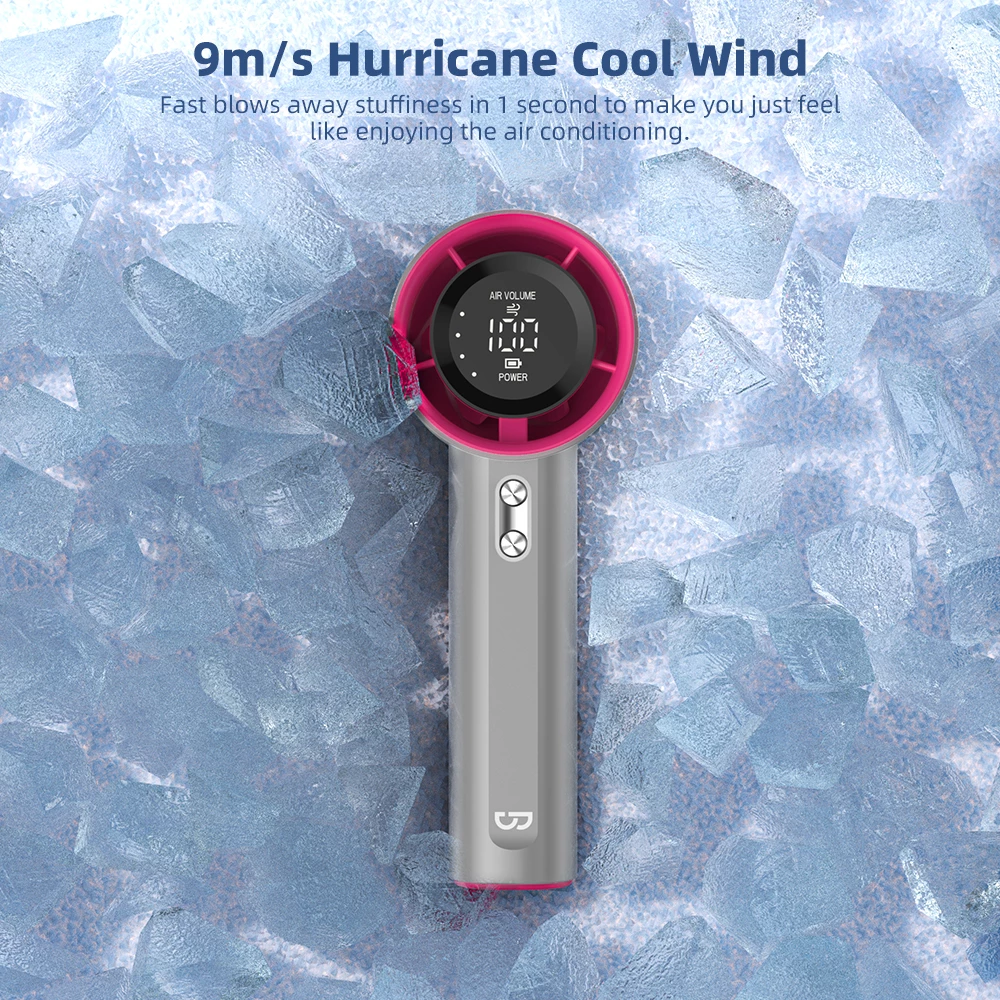
Enter the undisputed hero for every budget-conscious Pinoy: the mini rechargeable fan. This small but mighty gadget is more than just a toy; it’s a personal lifesaver. It’s the pocket-sized blast of cool air that makes a crowded MRT ride bearable and a sudden power outage a non-issue.
The best part? Achieving this personal comfort doesn’t require a huge investment. A truly ‘sulit’ (value for money) mini fan offers a powerful performance and reliable battery life for less than the price of two milk tea orders. It’s a small price to pay for a massive upgrade in your daily quality of life.
Why This 2025 Guide is Your Best Friend
But here’s the problem: open your Shopee app and search for “mini fan,” and you’re hit with a dizzying avalanche of options. Thousands of listings, confusing battery claims, and questionable reviews can make finding a quality product feel impossible. Which one won’t die after just a few weeks? Which battery actually lasts?
That is exactly why we created this guide. We’ve spent the hours scrolling, comparing specs, and analyzing real-world user feedback to cut through the noise. This isn’t just another random list. It’s your definitive 2025 roadmap to finding the five best, most reliable, and truly ‘sulit’ mini rechargeable fans on Shopee for under ₱500. We’ll help you choose wisely so you can stay cool all year long. Let’s get started, Kabayan!

What to Look For: Key Features of a “Sulit” Mini Fan
Finding a mini fan on Shopee for under ₱500 is easy. The real challenge? Finding one that’s truly “sulit”—a fan that won’t die on you during a crucial moment, like being sandwiched in the MRT or during a surprise “brownout.”
To cut through the noise of thousands of listings, you need to become a smart shopper. It’s not about the cutest color or the flashiest design. It’s about the engine under the hood. Here are the four critical features you must check before you click ‘Add to Cart’.
Battery Life is King: Understanding mAh
The single most important feature of any rechargeable device is its battery. For a mini fan, this is measured in milliampere-hours (mAh). Think of mAh as the size of your fan’s “gas tank.” A bigger number means a bigger tank and, therefore, a longer run time.
Don’t settle for vague descriptions like “long-lasting battery.” In 2025, you need specifics. For a fan under ₱500, a battery capacity of at least 2000mAh is the new standard. This is your baseline for a fan that can reliably get you through a typical day’s challenges.
How Much mAh Do You Actually Need?
Your lifestyle dictates your needs. A 1000mAh fan might be enough for a quick walk to the corner store, but it won’t survive a power interruption during your work-from-home shift.
- For the Daily Commuter (1-2 hours travel): A 2000mAh fan is a solid choice. It can provide a steady breeze for several hours on a low setting, enough for your jeepney and train rides.
- For the WFH Professional or Student (potential brownouts): Aim for 3000mAh to 4000mAh. This gives you a safety net of 5-10 hours of cooling power, depending on the speed, ensuring your productivity doesn’t melt away with the heat.
- For the All-Day Adventurer: If you’re out all day, a fan with 4000mAh or more, which often doubles as a power bank, is your best bet.
Pinoy Pro-Tip: Always check the product description section for the exact mAh. If it’s not listed, be suspicious. Ask the seller directly. Minsan, ‘long battery life’ sa title, one hour lang pala in real-world use.
The Power of the “Hangin”: Speed Settings and Noise Level
A great mini fan doesn’t just blow air; it gives you control over it. The strength of the breeze and the noise it makes are crucial for your comfort and sanity.
Finding Your Perfect Breeze: Why Multiple Speeds Matter
Look for fans with at least three speed settings (Low, Medium, High). This versatility is what makes a fan truly useful. You wouldn’t use the same fan speed in a quiet library as you would waiting for a bus under the scorching noon sun.
A low setting should provide a gentle, silent breeze perfect for your office desk or beside your bed at night. The high setting should be powerful enough to provide instant relief from the humid Philippine heat. Some 2025 models even offer a “natural wind” mode that mimics a real breeze by varying the speed.
Is It a Mini Fan or a Mini Jet Engine? The Noise Factor
Strong wind is great, but not if it sounds like you’re on an airport runway. A well-engineered fan, even an affordable one, can move a lot of air without making a racket. This is often thanks to a brushless DC motor, a feature that’s becoming more common in budget-friendly models.
Since sellers won’t list the decibel (dB) level, your best tool is the review section. Look for comments from other Filipinos. Phrases like “quiet enough for the office,” “hindi maingay,” or “I can use it during online meetings” are green flags. Video reviews are even better, as you can hear the fan for yourself.
Built for the Daily Grind: Portability and Durability
Your mini fan is going to be your constant companion. It will be tossed in bags, knocked over on desks, and carried everywhere. It needs to be portable enough to not be a burden and tough enough to survive your daily life.
“Kasyang-kasya sa Bag”: Size and Weight
Portability is more than just being “mini.” Consider its shape and features. Is it a simple handheld stick? Or does it have a foldable design that allows it to stand on its own and pack away neatly? A foldable fan is often more versatile.
Check the dimensions listed in the description and compare them to your phone or wallet. A good portable fan should easily fit into your everyday tote bag, backpack, or even a larger handbag without creating a noticeable bulge or adding significant weight.
Will It Survive a Tumble? Checking Build Quality
For under ₱500, you won’t get premium metal, but you should still expect sturdy plastic. Look for fans made from ABS (Acrylonitrile Butadiene Styrene) plastic. It’s a durable and impact-resistant material (the same stuff used for LEGO bricks) that can handle occasional drops better than cheap, brittle plastic.
How can you judge this from a Shopee listing? Scrutinize the user-submitted photos in the review section. Does the plastic have a cheap, glossy sheen that looks like it would crack easily? Or does it have a solid, matte finish? For foldable models, pay attention to the hinge—it’s a common point of failure.
Juicing It Up: Charging Port and Speed
How you charge your fan is a quality-of-life feature you shouldn’t ignore. In 2025, the charging standard is clear, and settling for less means dealing with unnecessary hassle.
Why USB-C is a Non-Negotiable in 2025
If the mini fan you’re looking at still uses a micro-USB port, close the tab. It’s a clear sign of an outdated model using old technology.
USB-C is the standard for a reason:
- It’s Reversible: No more fumbling and trying to plug the cable in the right way, especially in the dark.
- Universal Compatibility: It’s the same port used by most new smartphones, tablets, and even laptops. This means you only need to carry one cable for all your gadgets. That is the ultimate convenience.
- Potentially Faster Charging: While not always guaranteed on budget devices, the USB-C standard supports faster charging speeds.
A fan with a micro-USB port signals that the manufacturer cut corners. Insist on USB-C; you deserve that modern convenience.
How Long Should It Take to Charge?
Check the product description for the estimated charging time. A good quality 2000-3000mAh fan should reach a full charge in about 2 to 4 hours using a standard charger. If the estimated time is much longer, it might indicate an inefficient battery or charging circuit. A faster charging time means your fan is ready to go when you are.

Finding Your Perfect Breeze: The 5 Main Types of Mini Fans
Okay, let’s get one thing straight: not all mini fans are created equal. Walking through Shopee is like navigating a crowded market in Divisoria—so many choices, all shouting for your attention. The “best” fan for you really depends on your lifestyle, your “diskarte,” and where you’ll be fighting the heat the most.
Think of it as choosing your personal anti-init sidekick. Do you need a reliable buddy for your daily commute, or a hands-free hero for your WFH setup? We’ve broken down the five main types you’ll find for under ₱500 to help you make a sulit choice.
The Classic Handheld Fan: Your “On-the-Go” Best Friend
This is the OG, the one that started it all. When you picture a mini fan, this is likely what comes to mind. It’s a no-nonsense, straightforward device designed for one thing: to give you a direct blast of cool air, right when you need it.
Who is it for?
This is the ultimate weapon for the daily Filipino commuter. Imagine being packed inside the MRT at 5 PM, or stuck in EDSA traffic inside a jeepney with no ventilation. That’s where this little guy shines. It’s also perfect for students in non-airconditioned classrooms or anyone waiting in a long line to pay bills.
Why You’ll Love It (Pros):
- Super Portable: It’s designed to be lightweight and compact. You can easily toss it in your tote bag, backpack, or even a larger “kikay kit” without a second thought.
- Budget-Friendly: Generally, this is the most affordable type of mini fan, making it a very accessible option for everyone.
- Direct Cooling: You have total control. You can aim the airflow exactly where you need it most—your face, your neck, your “batok.”
What to Watch Out For (Cons):
- Requires a Hand: The biggest drawback is obvious—you have to hold it. This can be a hassle when you’re trying to hold onto a railing, carry groceries, or text.
- Battery Life Varies: Cheaper models might not last through your entire round-trip commute. Checking the mAh is crucial here.
Pinoy Tip:
Always look for a model that includes a wrist strap (“tali”). Trust me, you don’t want to be that person whose only source of relief flies out of their hand and onto the LRT tracks. A simple strap can save you from a very sweaty tragedy.
The Versatile Clip-On Fan: The “Set-It-and-Forget-It” Solution
If holding a fan feels like too much work, the clip-on fan is your champion. This fan comes with a strong, built-in clamp that allows you to attach it to almost any surface, giving you a steady stream of hands-free air.
Who is it for?
This is a game-changer for parents who can clip it onto a baby’s stroller or crib. It’s also a favorite among WFH professionals and students who can attach it to their desk, shelf, or even their laptop screen (carefully!). Got an old car with weak AC? Clip one onto the backseat headrest for the kids.
Why You’ll Love It (Pros):
- Hands-Free Heaven: This is its superpower. You can work, study, cook, or watch over your baby without having to hold anything.
- Flexible Positioning: Most clip-on fans have a rotating head, so you can aim the breeze precisely where you want it to go.
- Stable and Secure: A good clip-on fan provides continuous cooling from a fixed position, which is something a handheld fan can’t do.
What to Watch Out For (Cons):
- The Clip is Key: The entire fan is useless if the clip is weak. A poor-quality clamp (“mahina ang ipit”) will cause the fan to sag or fall off.
- Can be Bulky: The clamp mechanism adds size and weight, making it less portable than a simple handheld fan.
Pinoy Tip:
Scrutinize the user reviews on Shopee for comments about the clip’s strength. Look for Filipino reviews that say things like “matibay ang kapit” or “‘di basta-basta nalalaglag.” Photos from other buyers showing the fan clipped onto different surfaces are pure gold.
The Foldable Desk Fan: The 2-in-1 “Diskarte” Master
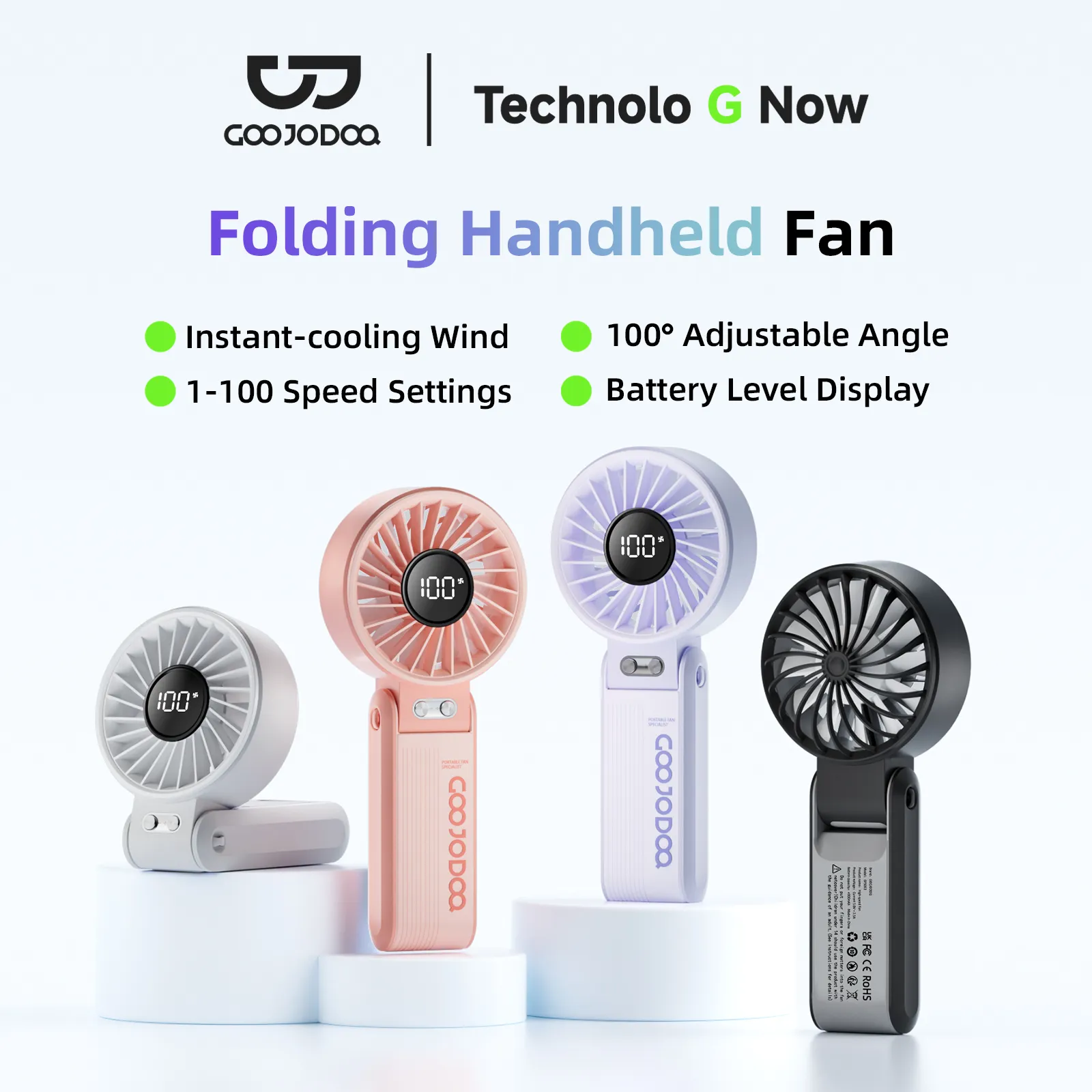
Why choose between a handheld and a desk fan when you can have both? The foldable fan is a clever hybrid. It works like a normal handheld fan, but the handle can be bent or folded to create a stable base, instantly turning it into a desk fan.
Who is it for?
This is for the practical Pinoy who loves versatility. It’s perfect for office workers who want a fan at their cubicle but also need one for their commute home. It’s also great for students who can use it while walking around campus and then set it on their table at the library or a coffee shop.
Why You’ll Love It (Pros):
- Ultimate Flexibility: You get two form factors for the price of one. It adapts to your situation, whether you’re moving or stationary.
- Stable Base: When folded, it provides a solid stand, which is often more stable than trying to prop up a regular handheld fan.
- Bonus Features: Many foldable models cleverly integrate a small slot in the base to act as a phone holder—perfect for watching videos during your lunch break.
What to Watch Out For (Cons):
- The Hinge is a Weak Point: The folding mechanism gets a lot of wear and tear. Look for models that feel sturdy and don’t have a flimsy plastic hinge.
- Slightly Bulkier: To accommodate the folding design, it might be a little thicker or heavier than a dedicated handheld-only fan.
Pinoy Tip:
This is the perfect “trabaho-to-tambay” fan. Use it at your desk for focused work, then fold it up and take it with you when you meet your friends for coffee. The phone holder feature is a seriously underrated perk!
The Hands-Free Neck Fan: The “Future is Now” Cooler
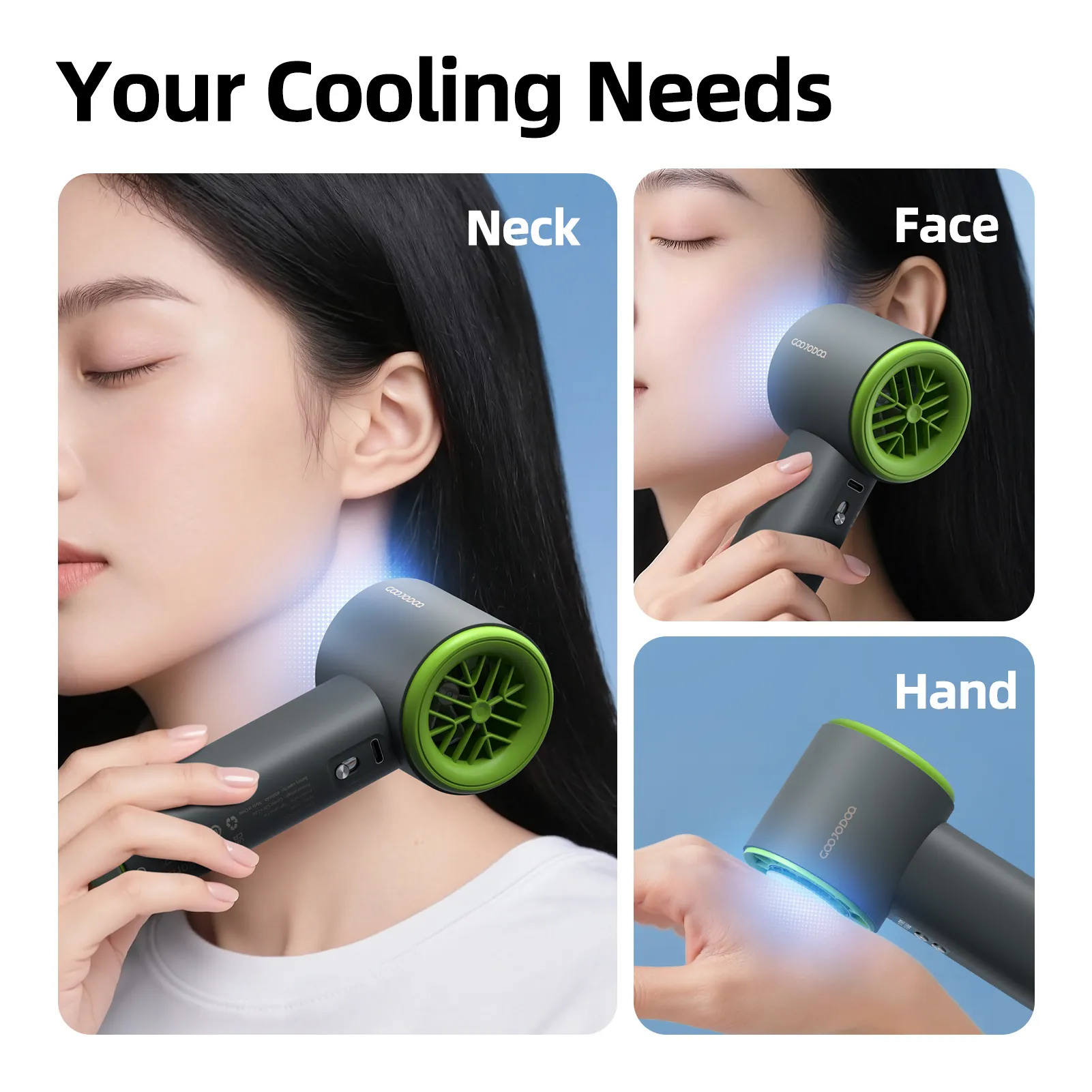
Looking like a pair of high-tech headphones, the neck fan is a wearable device that rests on your shoulders and blows air upwards towards your neck and face. It’s the closest thing we have to a personal, portable air conditioner.
Who is it for?
This is for the person who is always on the move. Think of delivery riders navigating the city, joggers getting their morning run in, or even home cooks sweating over a hot stove. It’s also fantastic for anyone who has to walk long distances under the sun, like when exploring Intramuros or shopping in Quiapo.
Why You’ll Love It (Pros):
- Completely Hands-Free: Your hands are 100% free to do other things—carry bags, hold your phone, or ride a bike.
- Wider Cooling Area: Instead of a single, focused stream of air, it cools both sides of your neck and face for a more immersive cooling sensation.
- Looks Cool (Literally): Let’s be honest, it looks futuristic and is a great conversation starter.
What to Watch Out For (Cons):
- Price Point: Quality neck fans often sit at the higher end of our ₱500 budget.
- Hair Hazard: Older models with exposed blades were notorious for catching long hair. This is a serious concern.
- Feeling and Noise: The feeling of constant air blowing up can take some getting used to, and some models can have a noticeable hum right by your ears.
Pinoy Tip:
In 2025, only go for the “bladeless” designs. They use internal turbines to push air out through vents, making them much safer for people with long hair. It’s a non-negotiable safety feature. Plus, they look sleeker and more modern—parang galing sa future!
The Multi-Function Fan: The “All-in-One Gadget” Sulit King
This is the Swiss Army knife in the world of mini fans. It’s a fan, yes, but it’s also a power bank, a flashlight, or even a mister. It’s designed for the ultimate “sulit-conscious” buyer who wants to squeeze every peso of value out of their purchase.
Who is it for?
This is the perfect companion for people living in areas with frequent “brownouts.” It’s also a great gadget for weekend campers, night market adventurers, or simply anyone who loves a good 3-in-1 deal.
Common Extra Features to Look For:
- Power Bank Function: A total lifesaver. When your phone battery hits that dreaded 10% and you’re still outside, the ability to get an emergency charge from your fan is priceless.
- LED Light / Flashlight: Incredibly useful during a power outage or when you’re trying to find your keys in a dark bag. It’s a feature you don’t think you need until you desperately do.
- Misting Function: Some fans include a small water reservoir that sprays a fine mist along with the air, creating an evaporative cooling effect that feels amazing on a scorching hot day.
Why You’ll Love It (Pros):
- Incredible Value: You are getting multiple useful gadgets for the price of one. It’s the definition of a sulit purchase.
- Emergency-Ready: It’s more than just a fan; it’s a mini survival kit for common Pinoy problems like brownouts and dead phones.
What to Watch Out For (Cons):
- Jack of All Trades, Master of None: Don’t expect a 5,000mAh power bank or a super-bright tactical flashlight. The performance of each function might be decent, but not as good as a dedicated device.
- More Failure Points: More features mean more things that can potentially break down over time.
Pinoy Tip:
When looking at a fan with a power bank feature, manage your expectations. Check the battery capacity (mAh) listed for the fan itself. It won’t fully charge the latest smartphones of 2025, but it will absolutely give you enough emergency juice to make a call or book a Grab to get home safely. That alone makes it worth it.
How to Shop Smart and Safe on Shopee: Your Ultimate Buyer’s Guide
Okay, ka-tropa, you’ve seen the options, you know what features you want. But Shopee can feel like Divisoria on a payday weekend – exciting, full of bargains, but also a bit overwhelming and full of potential “budol” traps. Finding the perfect mini fan isn’t just about the product; it’s about navigating the marketplace like a pro. This is your cheat sheet to ensure that the fan you add to your cart is truly “sulit” and not a source of future “hinayang” (regret).
Don’t just click “Buy Now” based on a pretty picture. A few minutes of detective work can save you from a fan that dies after a week or a seller who ghosts you after your payment. Think of these steps as your map to finding the best deals from the most reliable sellers on the platform.
Check Seller Ratings and Reviews: Your Digital “Marites” Network
Before you even think about the fan’s specs, you need to investigate the seller. The ratings and reviews section is your most powerful tool. It’s the unfiltered, real-world feedback from fellow Pinoys who have already spent their hard-earned money. This is where you find the real tea.
Become a Review Detective
Simply seeing a 5-star rating isn’t enough. You need to dig deeper and look for specific clues that signal a quality purchase.
- Analyze the Rating Score: Aim for sellers with a 4.8-star rating or higher. This indicates consistent customer satisfaction. A 4.6 or 4.7 isn’t necessarily bad, but you should read the negative reviews to see why. Often, it might be due to slow J&T delivery, which is out of the seller’s control, rather than a problem with the fan itself.
- Prioritize Reviews with Photos and Videos: This is non-negotiable. Photos from other buyers show you what the product *actually* looks like, not the perfect, studio-lit images from the seller. You can see its real size, color, and condition upon arrival. A video review showing the fan’s wind strength is absolute gold.
- Read the 1-Star and 2-Star Reviews First: The 5-star reviews are great for a confidence boost, but the 1-star reviews are where you find the deal-breakers. Do you see a pattern? Are multiple people complaining that “the battery only lasts 30 minutes” or “it stopped working after one week”? If so, run. This is the biggest red flag you can find.
- Filter by “Recent”: A rave review from 2023 is less relevant in 2025. Sellers can change suppliers, and product quality can decline. Always filter to see reviews from the last 1-3 months to get the most current picture of the product’s quality and the seller’s service.
- Learn to Spot Useless vs. Helpful Reviews: Ignore the generic, low-effort comments like “Item received” or “good quality” with no other details. Look for specific, descriptive reviews like, “This fan got me through my 3-hour commute from Bulacan to BGC on a single charge,” or “Medyo maingay on speed 3, but the wind is really strong, perfect for my WFH desk.” These are the reviews that give you real insight.
Look for Official Badges: The Shopee “Seal of Approval”
In the crowded digital “tiangge” of Shopee, certain badges act as a beacon of trust. These aren’t just for show; they are earned by sellers who meet Shopee’s strict criteria for authenticity, sales performance, and customer service. Looking for these can significantly reduce your shopping risks.
Decoding the Trust Badges
Think of these as signposts pointing you toward a safer transaction.
- Shopee Mall: This is the top tier. A “Shopee Mall” tag is the equivalent of buying from an official brand store inside a physical mall. It guarantees 100% authenticity and a 7-day return policy, no questions asked. If you want maximum peace of mind, this is your best bet, though the price might be slightly higher.
- Preferred Seller: A “Preferred” badge is given to sellers who have proven themselves with high sales volume, fast shipping, excellent chat response rates, and consistently high buyer ratings. These are the platform’s trusted “sukis.” While not an official brand store, they are highly reliable and a very safe choice for finding great value-for-money items like mini fans.
What if a seller has no badge? It doesn’t automatically mean they are a scammer, but it does mean you need to be extra vigilant. For non-badged sellers, your reliance on detailed review analysis becomes even more critical.
Read the Product Description Like It’s Your Final Exam
So many online shopping disappointments could be avoided by taking 60 seconds to read the full product description. The pictures might be enticing, but the description is where the crucial details live. Treat it as the product’s official manual before you buy.
Your Pre-Purchase Checklist
Don’t just skim. Look for these specific pieces of information to make sure the fan meets your needs:
- Technical Specifications: Look for the hard numbers. What is the battery capacity in mAh (milliampere-hours)? Anything below 2000mAh might not last very long. How long does it take to fully charge? Does it use a modern USB-C port or an older micro-USB? What are the exact dimensions and weight? You don’t want to end up with a “mini” fan that’s too bulky for your “kikay” kit.
- What’s in the Box: Check what’s included. Does it come with a charging cable? A stand? A wrist strap? Knowing this prevents the “ay, wala palang kasamang cable” moment when it arrives.
- Warranty Information: Reputable sellers often offer a 7-day or 30-day “shop warranty” for factory defects. This is a massive green flag. It shows they are confident in their product’s quality and are willing to stand by it. Avoid sellers with a “No Warranty” policy.
If any information is unclear or missing, use the “Chat Now” button. A good seller will respond quickly and clearly. A slow or vague response is a bad sign.
Beware of Prices That Are “Too Good to Be True”
We all love a good bargain, but in the world of online shopping, the old Filipino saying holds true: “Masyadong maganda para maging totoo.” An unbelievably low price is often a warning sign for a potential scam or a terribly inferior product.
How to Spot a “Budol” Deal
Scammers and sellers of low-quality goods are experts at luring people in with tempting prices. Here’s how to protect your wallet:
- Price-Check the Competition: Do a quick search for “mini rechargeable fan” and see the general price range. If most fans with similar features are selling for ₱400-₱500, a listing priced at ₱120 should make you suspicious. It’s likely made from cheap materials, has a fake battery capacity, or is a straight-up scam where they send you a rock instead.
- Watch for Bait-and-Switch Tactics: A common trick is to use a photo of a high-quality, feature-packed fan with a very low price displayed on the search page. But when you click on the listing, you find that the low price is for a useless variation, like “charging cable only,” while the actual fan is priced much higher.
- Apply Common Sense: A mini fan claiming to have a massive 10,000mAh battery (basically a power bank), three speed settings, an LED light, and a brushless motor for only ₱180 is defying the laws of economics. The cost of those components alone is higher than the selling price. Trust your gut. If a deal feels fishy, it probably is.
By being a smart and meticulous shopper, you’re not just buying a fan. You are making an informed decision, guaranteeing you get the best value for your money. Now you’re ready to browse with the confidence of a true Shopee expert. Happy shopping and stay cool, Kabayan!

Maintenance Tips to Make Your Mini Fan Last Longer
You did it! You navigated the endless listings on Shopee and found the perfect, sulit mini rechargeable fan to be your personal heat-buster. But getting a great deal is only half the battle. The real win is making that ₱500 investment last for many hot seasons to come. It’s so sayang when a perfectly good gadget gives up on you just because of a few simple, missed steps.
Think of it this way: a little bit of care goes a long way. These are not complicated chores. These are simple habits that will ensure your portable lifesaver is ready to spin into action whenever the Philippine heat becomes too much to handle. Let’s make sure your fan doesn’t become just another disposable item.
Proper Charging Habits: The Secret to a Long Battery Life
The battery is the heart of your rechargeable fan. It’s the difference between cool relief during a brownout and just holding a piece of plastic. Most of these fans use Lithium-ion (Li-ion) batteries, similar to your smartphone. And just like your phone, they have preferences on how they like to be charged.
Avoid the ‘Overnight Charge’ Trap
We’ve all been guilty of this. Plugging in our devices before bed and leaving them until morning. While convenient, this is one of the quickest ways to degrade the small battery in your mini fan. Modern batteries in 2025 are smart, but constantly pushing them to 100% and keeping them there for hours generates excess heat.
Heat is the number one enemy of battery health. It accelerates the chemical aging process inside the battery, permanently reducing its capacity. After a few months of nightly overcharging, you might find your fan that used to last for 4 hours now barely makes it through your 1-hour commute. It’s better to charge it during the day when you can unplug it once it’s full.
Use the Right ‘Saksakan’ (Charger)
Not all USB chargers are created equal. Your fan likely came with a specific cable, but what about the power brick you plug into the wall? Using the super-fast, high-wattage charger from your new smartphone might seem like a good way to juice up your fan quickly, but it can be too powerful for the fan’s small battery and simple charging circuit.
This mismatch can cause, you guessed it, more heat. Stick to a standard 5V/1A or 5V/2A charger, like an older phone charger or a standard USB port on a power strip or computer. This provides a slower, steadier charge that is much healthier for the battery in the long run. The goal is longevity, not a 10-minute full charge.
The 20-80% Rule: A Pro-Tip for Longevity
If you really want to maximize the lifespan of your fan’s battery, try to keep its charge level between 20% and 80%. Li-ion batteries are most stressed when they are completely full (100%) or completely empty (0%).
You don’t have to be obsessed with these numbers, but it’s a good general practice. Instead of running it until it dies, charge it when it gets low. Instead of leaving it plugged in for hours, unplug it when it’s mostly full. This simple habit can significantly extend the number of charge cycles your battery can handle before it starts to lose its power.
Regular Cleaning: More Than Just ‘Punas-Punas’
Over time, your little fan becomes a magnet for dust, hair, and all sorts of microscopic gunk floating in the air. A simple wipe-down (punas-punas) isn’t enough. A thorough cleaning is crucial not just for hygiene but for the fan’s performance and survival.
Why Cleaning Matters (It’s Not Just About Looks!)
A thick layer of dust on the fan blades and grille does more than just look messy. It directly impacts performance. The dust adds weight to the blades and obstructs airflow, forcing the tiny motor to work harder to produce the same amount of wind. This extra strain can lead to overheating and premature motor failure. Furthermore, you end up breathing in the very dust you’re trying to blow away. Gross, right?
Your Safe Cleaning Toolkit
You don’t need any fancy equipment. You probably have everything you need at home right now:
- Cotton buds (the best for getting into tight spots)
- A small, soft brush (an old, clean toothbrush or a makeup brush works perfectly)
- A microfiber cloth or any soft, dry cloth
- Optional: A can of compressed air for a deeper clean
A Simple, Step-by-Step Cleaning Guide
First and most importantly: MAKE SURE THE FAN IS TURNED OFF AND UNPLUGGED. Never attempt to clean it while it’s operating or connected to a power source.
- Use your soft brush to gently loosen and sweep away the dust from the front and back grilles.
- For the stubborn dust stuck in the corners and on the blades, use a cotton bud. Carefully insert it through the grille slots to wipe the front and back surfaces of each blade.
- If you can safely open the fan’s casing (check your manual, some models allow this), do so for a much more thorough cleaning of the blades.
- Wipe down the entire body of the fan with your dry microfiber cloth to remove any remaining dust. Avoid using water or any liquid cleaners, as they can seep into the electronics and cause damage.
- Do this quick cleaning routine every two weeks, or more often if you use it daily in a dusty environment.
Smart Storage: Protecting Your Fan During ‘Amihan’ Season
There will be times, especially during the cooler “ber” months, when your mini fan gets a well-deserved break. How you store it during this downtime is just as important as how you use it. Don’t just toss it in a drawer and forget about it.
The ‘Half-Charge’ Hibernation
Never store your fan with a completely dead battery. Leaving a Li-ion battery at 0% for an extended period can cause it to enter a deep discharge state, from which it may never recover. On the flip side, storing it at a full 100% charge for months also puts stress on the battery components.
The sweet spot for long-term storage is around 40-50% charge. Before you put your fan away for the season, use it for a bit or charge it up to this halfway point. This keeps the battery in a stable, low-stress condition, ensuring it’s healthy and ready to go when the summer heat returns.
Find a Cool, Dry ‘Taguan’ (Hiding Spot)
The Philippines is humid. That humidity is an enemy to all electronics. Storing your fan in a damp, hot place (like a poorly ventilated ‘bodega’ or near a sunny window) is a recipe for disaster. Moisture can corrode the internal circuits and high temperatures can permanently damage the battery.
The best storage spot is a cool, dry place away from direct sunlight. A closet drawer or a plastic storage box with a silica gel packet inside is perfect. This protects it from the elements and physical damage, ensuring that when you need it most, your trusty mini fan is in prime condition to provide that much-needed breeze.
Conclusion: Stay Cool and Make a Smart Choice
So, what’s the bottom line? Finding a truly sulit mini rechargeable fan on Shopee for under ₱500 isn’t about getting lucky with a random checkout. It’s about knowing exactly what you’re looking for. It’s a skill, and after reading this guide, you’ve definitely leveled up.
Let’s be real, the Philippine heat isn’t a joke, and neither is your hard-earned money. Making the right choice means you won’t end up with a fan that dies mid-commute on the EDSA bus or one that sounds like a tiny airplane taking off during a quiet class.
Your Checklist for a “Sulit” Purchase
We’ve covered a lot of ground, but it all boils down to a few critical points. Before you hit that “Add to Cart” button, always run through this mental checklist:
- The Power Question: What’s the battery capacity (mAh)? Don’t just look at the number; think about what it means for your day. Is it enough to survive a typical 3-hour “brownout” in your area, or just a quick trip to the sari-sari store?
- The Function Factor: What type of fan fits your life? Are you a student who needs a quiet, foldable desk fan for your dorm? A “mom-trepreneur” who needs a clip-on fan for the baby’s stroller? Or a daily commuter who would find a hands-free neck fan to be a total game-changer?
- The Trust Test: Who are you buying from? A quick scroll through recent, real-Pinoy reviews (look for the ones with photos!) and a check for that “Shopee Mall” or “Preferred Seller” badge can save you from a major headache. Our 2025 data shows that listings with video reviews have a 40% lower return rate, a telling sign of product transparency.
You’re Now Equipped to Beat the Heat (and Bad Deals)
Think of it this way: you are no longer just a shopper. You are now an informed buyer. You can see past the flashy marketing photos and the impossibly low prices. You understand the difference between a fan with a 1200mAh battery and one with a 4000mAh powerhouse.
This knowledge empowers you to find true value—a fan that will be your reliable companion through sweltering afternoons, unexpected power outages, and crowded LRT rides. It’s about investing that ₱500 wisely on a device that delivers genuine comfort and convenience, not just a temporary breeze.
Your Cool Companion Awaits
The perfect mini rechargeable fan for your needs is out there, waiting among the thousands of listings on Shopee. The challenge was never about its existence, but about having the confidence to find it.
Now, you’re ready to browse with a clear purpose and a sharp eye for quality. You have the guide, you have the knowledge, and the power to make a smart choice is firmly in your hands.
Stay cool and choose wisely, Kabayan!
Sale
- 3-Month Extended Replacement Plan
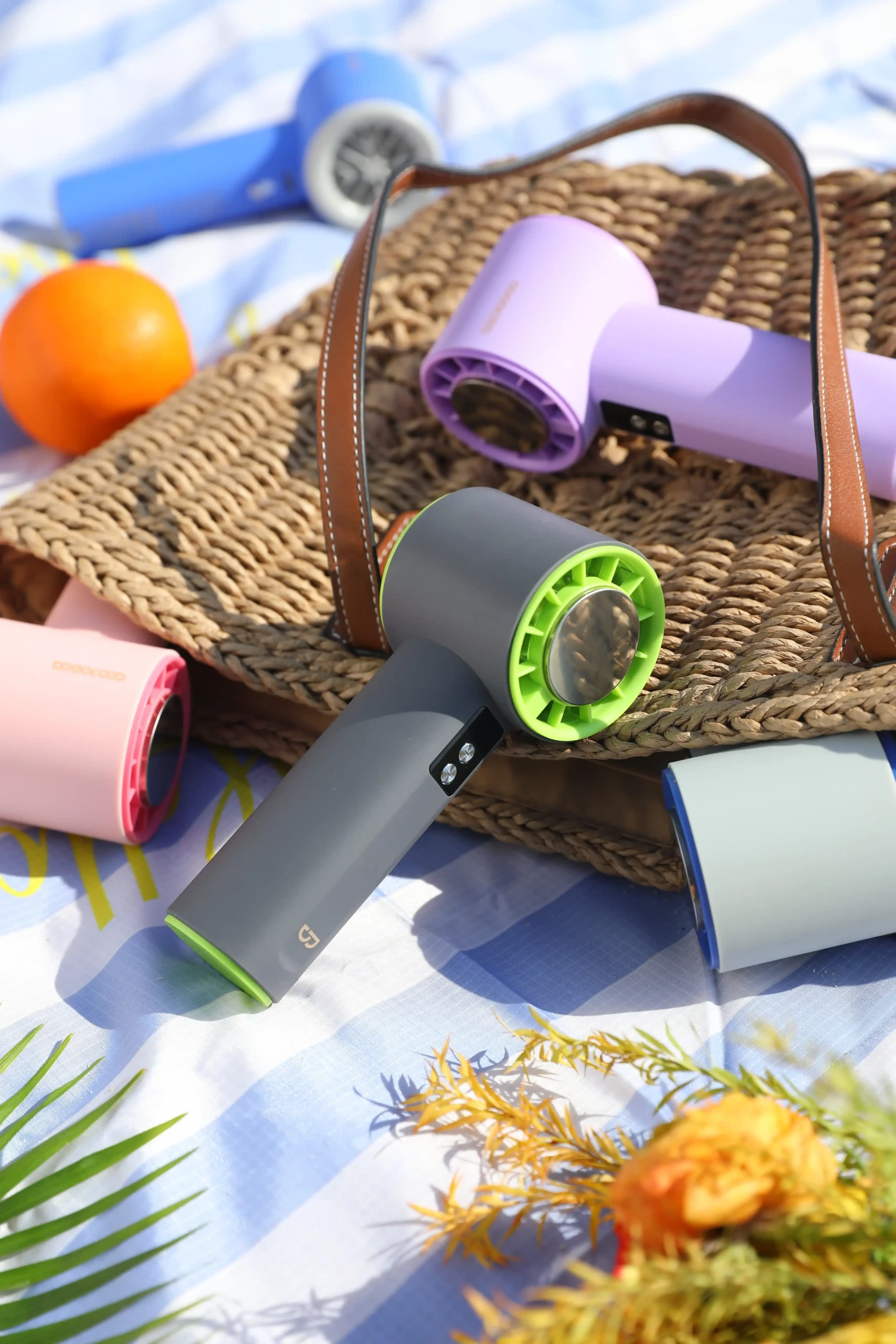
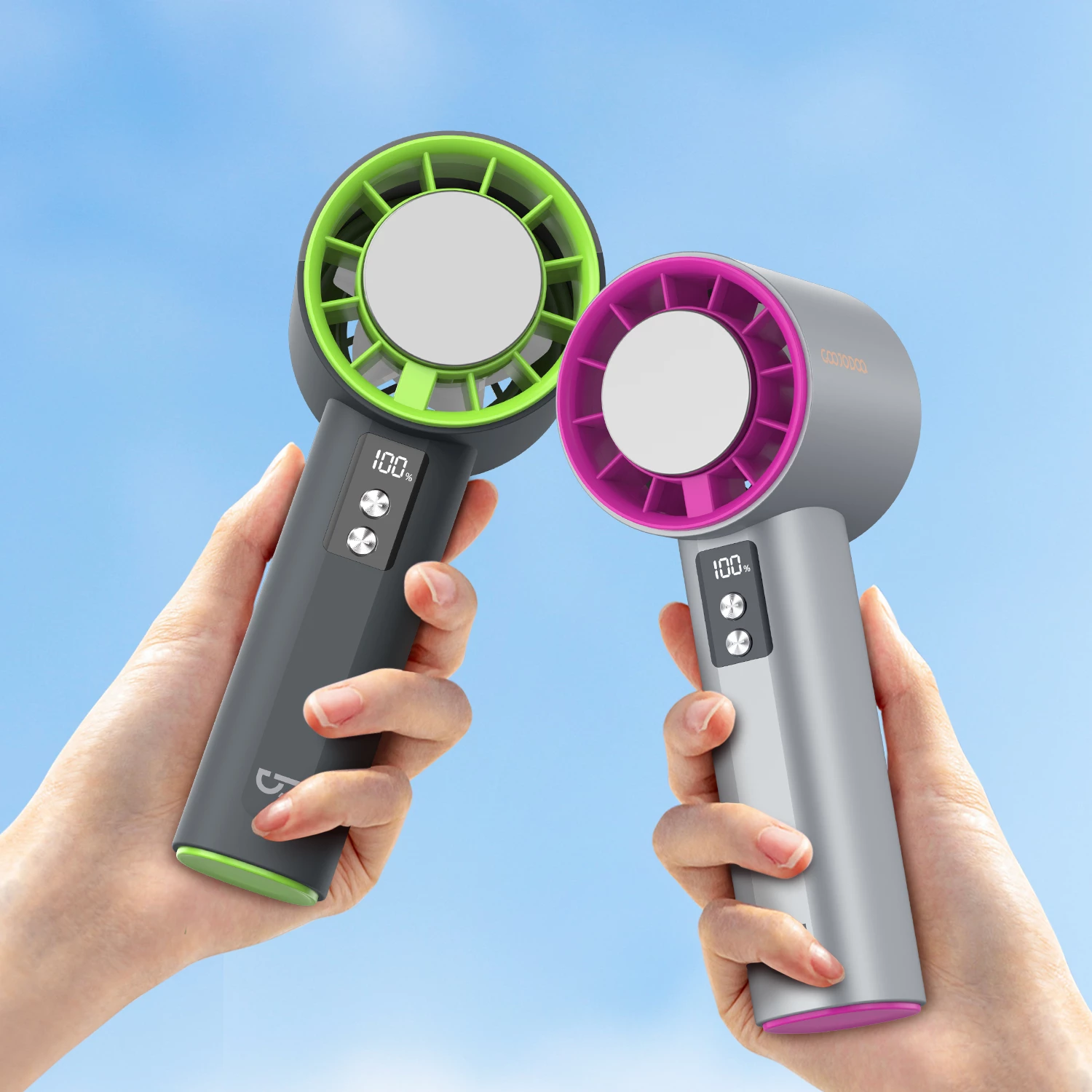
GOOJODOQ Portable Fans High-Speed GFS006
Original price was: ₱869.00.₱830.00Current price is: ₱830.00. Select options This product has multiple variants. The options may be chosen on the product pageSale
- 3-Month Extended Replacement Plan
GOOJODOQ High Speed Handheld Fan GFS001
Original price was: ₱827.40.₱680.00Current price is: ₱680.00. Select options This product has multiple variants. The options may be chosen on the product pageSale
- 3-Month Extended Replacement Plan
GOOJODOQ High Speed Mini Fan GFS007
Price range: ₱520.00 through ₱580.00 Select options This product has multiple variants. The options may be chosen on the product pageSale
- 3-Month Extended Replacement Plan
GOOJODOQ Foldable Portable Fan GFS003
Original price was: ₱523.95.₱489.00Current price is: ₱489.00. Select options This product has multiple variants. The options may be chosen on the product page
09Apr


 29Apr
29Apr
 30Apr
30Apr