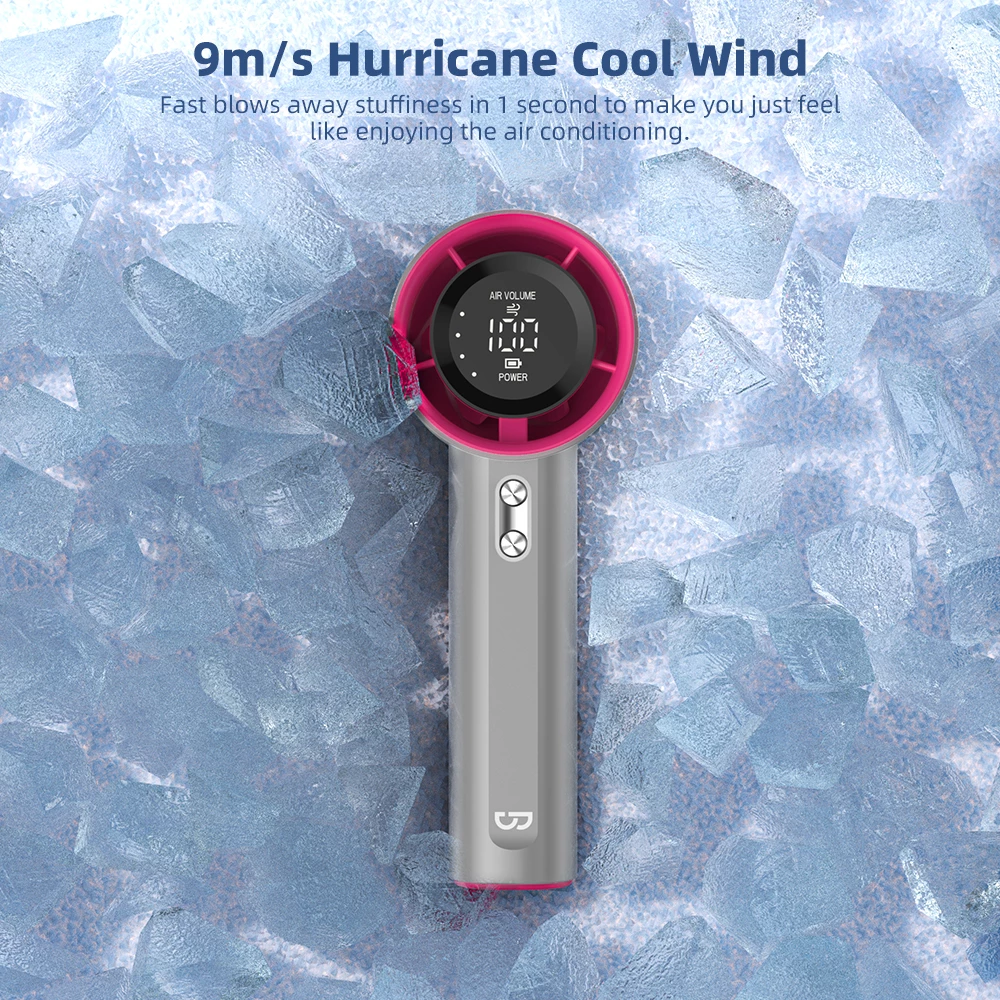








 09Apr
09Apr
Surviving the Heat When the Lights Go Out
You know the feeling. It’s that dreaded, split-second flicker, followed by a sudden, heavy silence. The hum of the aircon dies, the whir of the electric fan ceases, and the unforgiving Philippine heat immediately starts to creep in. It’s a scene all too familiar in 2025, and it’s the start of a brownout.
What follows is a race against time before comfort turns into a sticky, sweaty ordeal. For those of us working from home, it means lost productivity. For families, it means restless children and the challenge of a sweltering, sleepless night. A simple power interruption can quickly derail an entire day.
The Mini Rechargeable Fan: Your Brownout Essential
In the face of unpredictable power grids, a new hero has emerged, becoming as essential as a flashlight or a stock of candles. The mini rechargeable fan has evolved from a simple novelty into a crucial part of the modern Filipino survival kit. It’s our personal pocket of wind, our lifeline to staying cool and sane when the electricity fails us.
But with countless options flooding the market, a critical problem has surfaced: not all fans are created equal. Many promise hours of relief only to die within the first hour, leaving you right back where you started. The single most important factor—the one that determines if your fan is a true survival tool or just a useless piece of plastic—is its battery life.
What You’ll Learn to Stay ‘Presko’
This isn’t just another product list. This is your definitive survival guide. We are cutting through the confusing marketing claims and technical jargon to focus on what truly matters: maximizing every single minute of cooling power.
This guide will empower you to become a savvy buyer. You will learn to decode the specifications that dictate battery longevity, identify the key features that extend runtime, and understand the trade-offs between power and efficiency. Our goal is to equip you with the knowledge to confidently choose a mini rechargeable fan that won’t quit on you, ensuring you and your family stay “presko” through even the longest brownout.

Understanding Battery Life: Your Number One Priority
Let’s be honest. When you’re looking for a mini rechargeable fan, dozens of features will compete for your attention: sleek designs, flashy colors, maybe even a built-in mister. But in the Philippines, where the heat is as constant as the threat of a sudden brownout, one feature stands head and shoulders above the rest: battery life. Everything else is secondary.
A fan that dies two hours into an eight-hour power interruption is not a survival tool; it’s a temporary comfort that leaves you right back where you started—sweaty, frustrated, and fanning yourself with a piece of cardboard. The single most important question you should ask is not “How strong is the wind?” but “How long will it keep me ‘presko’ when I need it most?”
The Unpredictable Nature of Philippine Brownouts
We’ve all been there. The lights flicker once, twice, and then plunge you into darkness and silence. The immediate question on everyone’s mind is, “Gaano katagal?” (How long will it last?). Will it be a quick 15-minute reset or a grueling, all-night affair announced on the local power co-op’s Facebook page an hour after it starts?
This unpredictability is precisely why a fan with a massive battery capacity is a non-negotiable asset. A short-lived fan might get you through a minor trip of the local transformer, but it stands no chance against scheduled maintenance, weather-related outages, or the grid issues that can last for hours on end. Investing in long battery life is investing in peace of mind.
The Real-World Benefits of All-Night Endurance
A fan that can run for 8, 12, or even 24 hours on a single charge isn’t just a convenience; it’s a game-changer for your comfort, health, and productivity. The direct benefits impact every part of your day during a power outage.
Finally, a Full Night’s Sleep
Trying to sleep in the sweltering, humid Philippine night without air circulation is a special kind of misery. You toss and turn, waking up sticky and unrested. A long-lasting mini fan that can run quietly through the entire night ensures you get the restorative sleep you need to face the next day, power or no power.
Sustained Productivity for WFH Warriors
Since 2020, the work-from-home setup has become a reality for millions of Filipinos. A brownout doesn’t just mean no lights; it means a stifling work environment that kills focus and motivation. A fan with a powerful battery allows you to stay cool and concentrated on your tasks, keeping you productive even when the main grid fails you.
Keeping the Whole Family Comfortable
The heat can be especially hard on the most vulnerable members of our families—our children and elderly parents. A reliable, long-running fan is essential for their well-being, preventing heat-related discomfort and ensuring a safe, stable environment for them during a stressful power outage.
Beyond the Brownout: Your Everyday Cooling Companion
While its performance during a brownout is its main selling point, a mini fan with excellent battery life quickly becomes an indispensable part of your daily routine. Its usefulness extends far beyond your home’s four walls.
- The Commuter’s Best Friend: Stuck in a non-airconditioned bus or jeepney during rush hour traffic? A portable fan makes the journey infinitely more bearable.
- Your Outdoor Ally: Whether you’re at the beach, having a picnic, or just waiting for a friend at an outdoor cafe, your fan provides a personal bubble of cool air.
- The Office and School Solution: For those moments in a stuffy classroom or office where the central air conditioning just isn’t cutting it, your fan is a silent hero.
Setting Realistic Expectations: How Fan Speed Drains Your Battery
This is the critical piece of information that many people overlook. You see a box that proudly claims “Up to 15 hours of battery life!” and you think you’re set for any blackout. But here’s the reality check: that number is almost always based on the fan running at its absolute lowest speed.
Think of it like the fuel efficiency of a car. The “kilometers per liter” rating is based on ideal driving conditions, not flooring it in city traffic. It’s the same with your fan:
- Speed 1 (Low): This gentle breeze is what gets you the advertised 12-15 hours. It’s great for nighttime use or a quiet desk environment.
- Speed 2 (Medium): This is the workhorse setting. Expect the battery life to be cut by 40-50%. That 15-hour fan might now last 7-8 hours.
- Speed 3 (High): This is the emergency “I’m melting” setting. It provides maximum cooling but is also the biggest battery drain. Your 15-hour fan could be done in as little as 4-5 hours on this setting.
Understanding this trade-off is crucial. It helps you manage your fan’s power strategically during a long brownout and allows you to look past marketing claims to find a fan whose real-world performance on a medium setting meets your needs for at least 6-8 hours.

Decoding the Specs: What mAh and Other Numbers Really Mean
Walking down an aisle or scrolling online, you’re hit with a wall of numbers: mAh, V, W. It can feel like you need an engineering degree just to buy a fan. But don’t worry, we’ll cut through the noise. To find a fan that won’t quit on you mid-brownout, you only need to understand a few key specs, and the most important one is mAh.
mAh: Your Fan’s “Gas Tank” for Brownouts
If you only remember one thing from this guide, let it be this: mAh is king. Think of milliampere-hours (mAh) as the size of your fan’s battery, its personal “gas tank.” The concept is simple.
A higher mAh number means a bigger tank, which holds more energy and allows the fan to run for a longer time. It’s the single most critical indicator of potential battery life.
Imagine you’re bracing for a long power interruption announced by Meralco. A fan with a 2000mAh battery is like starting with a quarter tank of gas—it might get you through a short trip, but it’s not reliable for an unpredictable journey. A fan with 5000mAh or even 10000mAh? That’s a full tank, ready to keep you presko for hours on end.
A Quick Guide to mAh Capacity
- 2000mAh – 3000mAh: The “Pang-Meryenda” Fan. This is basic capacity, suitable for a one or two-hour brownout. It’s perfect for your desk during a short interruption but don’t expect it to last through the night.
- 4000mAh – 6000mAh: The All-Rounder. This is the sweet spot for many. It offers a solid balance of performance and portability, likely to last through a typical 4-6 hour brownout on a medium setting. It’s a reliable companion for a work-from-home shift or a stuffy evening.
- 8000mAh and Above: The Brownout Champion. When you see numbers like 8000mAh, 10000mAh, or even higher in 2025, you’re looking at a true survival tool. These are built for the long haul, capable of running overnight and helping you get a decent sleep when the heat is unbearable.
The “Up To 24 Hours” Myth: What Marketers Don’t Tell You
You’ve seen the claims on the box: “Lasts up to 24 hours!” You buy it, and during the first real test, it dies in four hours. The frustration is real. This isn’t a lie, exactly, but it’s marketing at its most optimistic.
That incredible runtime is almost always tested under perfect laboratory conditions: on the absolute lowest fan speed, with zero oscillation, in a temperature-controlled room. It’s a setting so gentle you can barely feel the breeze. In the sweltering reality of a Philippine brownout, you will be blasting it on medium or high.
Your Realistic Battery Life Estimator
To avoid disappointment, use this simple mental calculation when you see an advertised runtime:
- Advertised Time (e.g., 20 hours): This is based on Speed 1.
- For Medium Speed (Speed 2/3): Cut the advertised time in half. So, 10 hours.
- For High Speed (The “I’m Melting!” setting): Divide the advertised time by four. That 20-hour fan now realistically lasts about 5 hours.
This simple trick helps you manage your expectations and choose a fan whose high-speed performance actually matches the duration of brownouts in your area.
V and W: The Quick Guide to Fan Power
While mAh tells you about the battery’s capacity, Voltage (V) and Watts (W) give you clues about the fan’s power and energy consumption. Don’t worry, this is the easy part.
Voltage (V): The Standard of Power Delivery
For almost every mini rechargeable fan you’ll find, the voltage will be 5V. This is the standard for USB charging. It’s less of a feature to compare and more of a standard to confirm. A 5V input ensures you can charge your fan with almost any power adapter, laptop, or power bank you already own.
Power (W): The “Lakás ng Hangin” Indicator
Watts (W) measure how much power the fan consumes to operate. A fan rated at 4W will generally have a more powerful motor and produce a stronger airflow than a fan rated at 2W. However, that extra power comes at a cost: it drains the battery faster.
The goal is to find a sweet spot. A fan with a massive 10000mAh battery is great, but if it has a power-hungry 5W motor, it might not last as long as a more efficient 3W fan with the same battery. Efficiency is the key.
The Real Experts: Why User Reviews Are Your Best Friend
The numbers on the box tell half the story. The other, more important half is told by people who have already bought the fan and survived a brownout with it. User reviews are your unfiltered source of truth.
Skip the generic “5 stars, fast delivery!” comments. You are on a mission. Dive deep into the reviews on popular shopping apps and websites, looking for specific feedback on battery performance.
What to Search For in Reviews:
- Keywords are everything. Use the search function within the reviews section for terms like “brownout,” “battery life,” “hours,” “tagal ma-lowbatt,” and “power interruption.”
- Look for narratives. The best reviews tell a story: “This fan lasted through the entire 8-hour brownout last night on speed 2. I was able to sleep soundly.” This is a more valuable data point than any number on a spec sheet.
- Cross-reference the complaints. If one person says the battery is weak, it might be a faulty unit. If ten people say the same thing, it’s a pattern. Pay close attention to 1-star and 2-star reviews that mention the battery not living up to its advertised claims.
By combining your understanding of mAh with real-world feedback from fellow Filipinos, you move from being a hopeful buyer to an empowered consumer, ready to choose a fan that will truly keep you presko when you need it most.

Key Features That Maximize Every Minute of Power
Once you’ve looked past the big mAh number on the box, the real secret to squeezing every last drop of “presko” air from your fan lies in its core technology. Two fans with the exact same battery capacity can have wildly different runtimes. The difference isn’t magic; it’s smart engineering. These are the critical features that separate a fan that dies in two hours from one that powers you through an entire night-long brownout.
H3: The Heart of Efficiency: Understanding Motor Technology
The single most important component for battery conservation is the fan’s motor. This is the engine that turns electricity into a cooling breeze, and not all engines are built equal. In 2025, you have a clear choice.
The Old Standard: Brushed Motors
For years, most small fans used traditional brushed motors. They are cheap to produce, which is why they are common in bargain-bin models. However, they are mechanically inefficient. Tiny carbon brushes physically contact the motor’s moving parts to deliver power, creating friction. This friction wastes precious battery energy as heat and also creates more noise. It’s like driving a car with the handbrake slightly on – you’re burning more fuel just to move.
The Modern Champion: Brushless DC (BLDC) Motors
The clear winner for any rechargeable device is the Brushless DC (BLDC) motor. By using electronics and magnets instead of physical brushes, these motors drastically reduce friction. This efficiency leap is a game-changer for battery life.
- Longer Runtimes: A fan with a BLDC motor can run up to 50% longer on the exact same battery charge compared to a brushed motor equivalent. This could be the difference between four hours of sleep and eight hours of cool comfort.
- Whisper-Quiet Operation: The lack of friction means BLDC motors are significantly quieter. During a silent brownout night, the last thing you want is a noisy, rattling fan. A brushless motor provides a gentle hum that won’t disturb your sleep or your focus while working.
- Increased Durability: With fewer physical parts grinding against each other, BLDC motors last much longer. This means your investment in a quality fan will pay off for many brownout seasons to come.
Think of it this way: choosing a fan with a BLDC motor is the most impactful decision you can make to ensure the longest possible battery life.
H3: Granular Control: Why Multiple Speed Settings Matter
It seems obvious that a lower speed uses less power, but the *degree* of control you have is crucial for true power management. Simply having a “Low, Medium, High” switch is no longer enough for surviving unpredictable power outages.
Imagine this scenario: It’s 2 AM, and the air is just a little stuffy. The “Low” setting on a basic 3-speed fan feels like a mini-gale, unnecessarily draining your battery. You’re forced to choose between being too cold with the fan on or too hot with it off.
Look for fans that offer more granular control, such as 4, 5, or even variable speed dials. This allows you to find the perfect balance between comfort and energy consumption. You can set it to a barely-there whisper of a breeze that sips power, stretching a 4000mAh battery for 12 hours or more, instead of draining it in 6 hours on a too-powerful “Low” setting. More control means you use only the exact amount of energy you need, when you need it.
H3: The Universal Standard: USB-C for Fast, Convenient Charging
In 2025, there is no good reason to buy a new electronic device that doesn’t charge with a USB-C port. The days of hunting for that one specific, flimsy micro-USB cable in the dark during a brownout are over. USB-C is about more than just a reversible plug; it’s about survival and convenience.
- Faster Charging: USB-C supports higher power delivery, meaning your fan can recharge significantly faster. When the power comes back on for only a short window, you want to get as much charge as possible, as quickly as possible.
- Universal Compatibility: This is the biggest win. Your modern smartphone, your laptop, your power bank—they likely all use USB-C. This means you only need one type of cable and one wall adapter to charge everything. You can charge your fan from your laptop or use your phone’s powerful wall charger to juice it up in record time.
- Durability: The USB-C connector is physically more robust and durable than its predecessors, built to withstand more plugging and unplugging cycles.
Choosing a fan with USB-C simplifies your life, reduces cable clutter, and ensures you can easily power up your most essential brownout tool with the same chargers you already use for everything else.
H3: The Ultimate Lifesaver: Pass-Through Charging Functionality
This is a high-level feature that is often overlooked but can be the single most critical function during an extended brownout. Pass-through charging is the ability for the fan to run while it is plugged in and actively charging.
Without this feature, if your fan’s battery is dead, you have to plug it into a power bank and wait for it to get some charge before you can use it. That’s a miserable, sticky wait.
With pass-through functionality, the moment you plug your dead fan into a power bank or any other USB source, it can start running immediately. The incoming power runs the fan motor directly while also charging the internal battery. This effectively gives you unlimited runtime as long as you have an external power source, no matter how small. It turns your fan and power bank into an uninterruptible cooling system, an absolutely essential combination for weathering a multi-day power interruption.
Beyond the Battery: Other Essential Survival Features to Consider
You’ve zeroed in on the battery—excellent. That’s the heart of your brownout survival strategy. But a fan that only blows air is a missed opportunity. The difference between a good rechargeable fan and a great one lies in the extra features that turn it from a simple comfort appliance into a true, multi-purpose survival tool. In 2025, with our lives so intertwined with technology and the need for versatility, these secondary features are no longer just bonuses; they are essentials.
Think about it. When the power goes out, it’s not just the heat you’re battling. It’s the darkness, the dead phone, and the general disruption. The smartest mini fans on the market today anticipate these problems. Let’s break down the features that provide the most value and transform your fan into the ultimate brownout companion.
Portability and Form Factor: Your Presko Companion Everywhere
While a powerful battery is crucial, it’s useless if the fan itself is too bulky or inconvenient to use where you need it most. The physical design—its form factor—dictates its real-world usefulness far beyond just sitting on your office desk.
How Will You Actually Use It?
Before you even look at a fan, picture your most common brownout scenarios. Are you a student trying to study in a dorm? A parent trying to keep a baby cool in a crib? A professional working from home who needs targeted airflow without it taking over the whole desk?
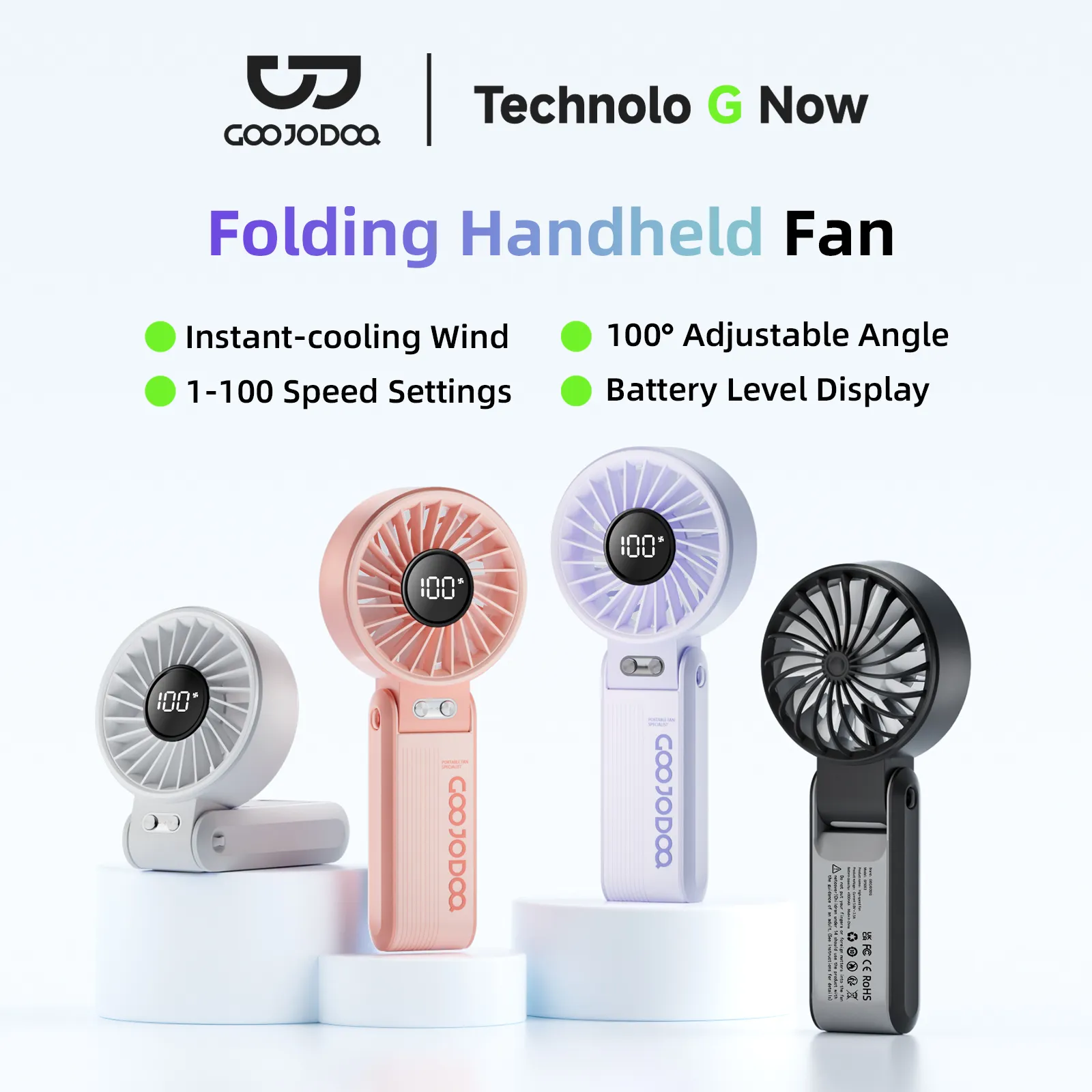
- Handheld/Foldable: This is the classic, on-the-go design. Perfect for your daily commute on the MRT or in a jeepney. A foldable design is a huge plus, allowing it to fit into a small bag or even a pocket. It can also transform into a small desk fan in a pinch, making it incredibly versatile for students or those who frequent coffee shops.
- Clip-On Style: This is arguably one of the most underrated designs. A fan with a strong, sturdy clip can be your best friend. You can attach it to a baby’s stroller, the headboard of your bed for a comfortable night’s sleep, your laptop screen, or even a kitchen shelf while you cook. It provides targeted cooling without occupying any precious table space.
- Stable Desk Fan: If your primary need is for a work-from-home or study setup, look for a model with a wide, non-slip base. The last thing you want is a fan that vibrates and wobbles, or worse, tips over easily. Some even come with adjustable height or 360-degree rotation, giving you full control over the airflow.
The goal is to match the fan’s design to your life. A lightweight, compact fan is not just a feature; it’s the freedom to stay “presko” no matter where the brownout catches you.
Built-in Emergency Light: Your Two-in-One Lifesaver
We all know that moment of sudden, complete darkness. You fumble for your phone, wasting its precious battery just to find your way to the drawer with the emergency candles. A mini fan with an integrated LED light completely eliminates this frantic search.
More Than Just a Gimmick
This isn’t just a tiny, useless light. Modern fans often incorporate surprisingly powerful LED lamps that serve a real purpose.
- Functionality Over Flash: Look for models that offer more than just a single setting. A fan with a multi-level light (e.g., a dim night light mode and a bright reading light mode) is far more useful. The dim mode is perfect for sleeping without being disruptive, while the bright mode is strong enough to illuminate a small room, a book, or your dinner table.
- Saves Your Phone Battery: This is the most critical benefit. Every minute you use your phone’s flashlight is a minute less you have for communication. In an extended brownout, your phone is your lifeline to the outside world for news and family contact. Using your fan’s light instead is a smart, strategic move to conserve your phone’s power.
Think of it this way: for a negligible increase in size and cost, you’re getting two essential emergency devices in one compact package. It’s a simple feature that provides immense peace of mind when the lights go out unexpectedly at night.
Power Bank Capability: The Ultimate Emergency Backup
In a world of Gcash, online banking, and constant communication, a dead phone during a power outage can feel like being stranded on an island. This is where a fan with a built-in power bank feature transitions from a convenience to a critical piece of survival gear.
Managing Your Expectations
Let’s be clear: a mini fan’s power bank feature is not designed to fully charge your 2025 smartphone from 0 to 100. Its internal battery is primarily for its own motor. However, that’s not its purpose. Its purpose is to be an emergency lifeline.
Imagine your phone is at 3%, and you desperately need to make one more call, send a crucial message, or pay for something online. Plugging it into your fan for 15-20 minutes can give you that vital 10-15% boost to get the job done. It’s the digital equivalent of a spare fuel can for your car.
When looking at this feature, check for a standard USB-A output port. This ensures you can use your existing phone cable to get that emergency charge when you need it most. It’s the ultimate “just-in-case” feature that you’ll be incredibly thankful for when the time comes.
Durability and Build Quality: An Investment in Comfort
It can be tempting to grab the cheapest fan you can find. But as many of us have learned the hard way, that often means buying another one in just a few months. A well-built fan is an investment that pays off in reliability and safety.
What to Look For:
- Solid Materials: Look for fans made from ABS (Acrylonitrile Butadiene Styrene) plastic. It’s a tougher, more durable material that can withstand accidental drops and bumps better than cheap, brittle plastic that can crack easily.
- A Secure Fan Cage: This is a non-negotiable safety feature, especially in a home with children or pets. The grill or cage protecting the blades should be tight, with very little space between the bars. It should also be firmly attached, not flimsy or easily bent.
- Sturdy Joints and Base: If the fan folds or has a tilting head, test the joints. Do they feel solid, or loose and wobbly? A fan that can’t hold its position is frustrating and useless. As mentioned earlier, a wide, stable base is crucial to prevent it from tipping over from its own vibration.
Paying a little extra for a fan that feels solid in your hands is a wise choice. It ensures that when you’re already stressed by the heat and the brownout, you won’t also have to deal with a broken or unreliable piece of equipment. This is your tool for comfort; it needs to be dependable.

Make an Empowered Choice and Stay Cool
So, we’ve navigated the technical jargon and broken down what truly makes a mini rechargeable fan a champion against the Philippine heat. The journey from a stuffy, powerless room to a breezy personal oasis isn’t about luck; it’s about making a smart, informed choice.
Let’s cut to the chase. When your power is out and the humidity is climbing, you need a fan that works, period. This is your final, no-nonsense checklist for securing that cool-headed comfort.
Your Brownout-Proof Checklist: The Final Recap
Forget the flashy marketing. When you’re comparing models, your decision should boil down to these non-negotiable pillars of performance. Think of this as your cheat sheet for long-lasting coolness.
- Prioritize the Power Tank (mAh): This is your number one spec. A higher milliampere-hour (mAh) rating is the clearest indicator of a longer runtime. In 2025, don’t even consider anything below 4000mAh if you want to survive an extended brownout without anxiety.
- Demand an Efficient Engine (Brushless Motor): A fan with a Brushless DC (BLDC) motor is the smarter, long-term choice. It uses its battery charge more efficiently, runs quieter (perfect for sleeping), and generally lasts longer than its older, brushed counterparts.
- Look for Smart, Survival-Ready Features: The best fan is more than just a fan. An integrated LED light turns it into a 2-in-1 emergency tool. A USB-C port ensures you can charge it faster with the same cable as your other modern gadgets. These aren’t frills; they are essential for real-world preparedness.
More Than Just a Fan: It’s a Tool for “Diskarte”
In the Philippines, we have a word for being resourceful and finding clever ways to overcome challenges: diskarte. A mini rechargeable fan has become a modern symbol of that very concept.
Let’s be real. It’s not just about escaping the sticky feeling, or what we call “lagkit.” It’s about reclaiming control. It’s the difference between a student being able to study for their exams during a nighttime power interruption and giving up in sweaty frustration. It’s the key to a WFH professional staying productive on a deadline when the grid fails. For a parent, it’s the quiet hum that keeps a baby sleeping peacefully through a sweltering night.
A 2024 study by a local energy think tank noted that unplanned power outages cost the average Filipino household dozens of hours in lost productivity and comfort annually. Viewing a quality rechargeable fan not as a simple expense, but as a small investment in your well-being, productivity, and sanity, completely reframes its value. It pays for itself the first time a multi-hour brownout strikes.
Your Turn to Beat the Heat
You are now equipped with the knowledge to see past the marketing promises and identify a mini fan that delivers on the single most important promise: battery life. You understand that mAh is your fuel, the motor is your engine, and the extra features are your survival kit.
Don’t wait for the next unexpected flicker of the lights. Don’t let another humid afternoon or sticky night be ruined by a power outage. Take this guide, use the knowledge you’ve gained, and confidently choose the reliable companion that will keep you cool and in control, no matter what.
Go forth and find your brownout-beater. Stay presko!
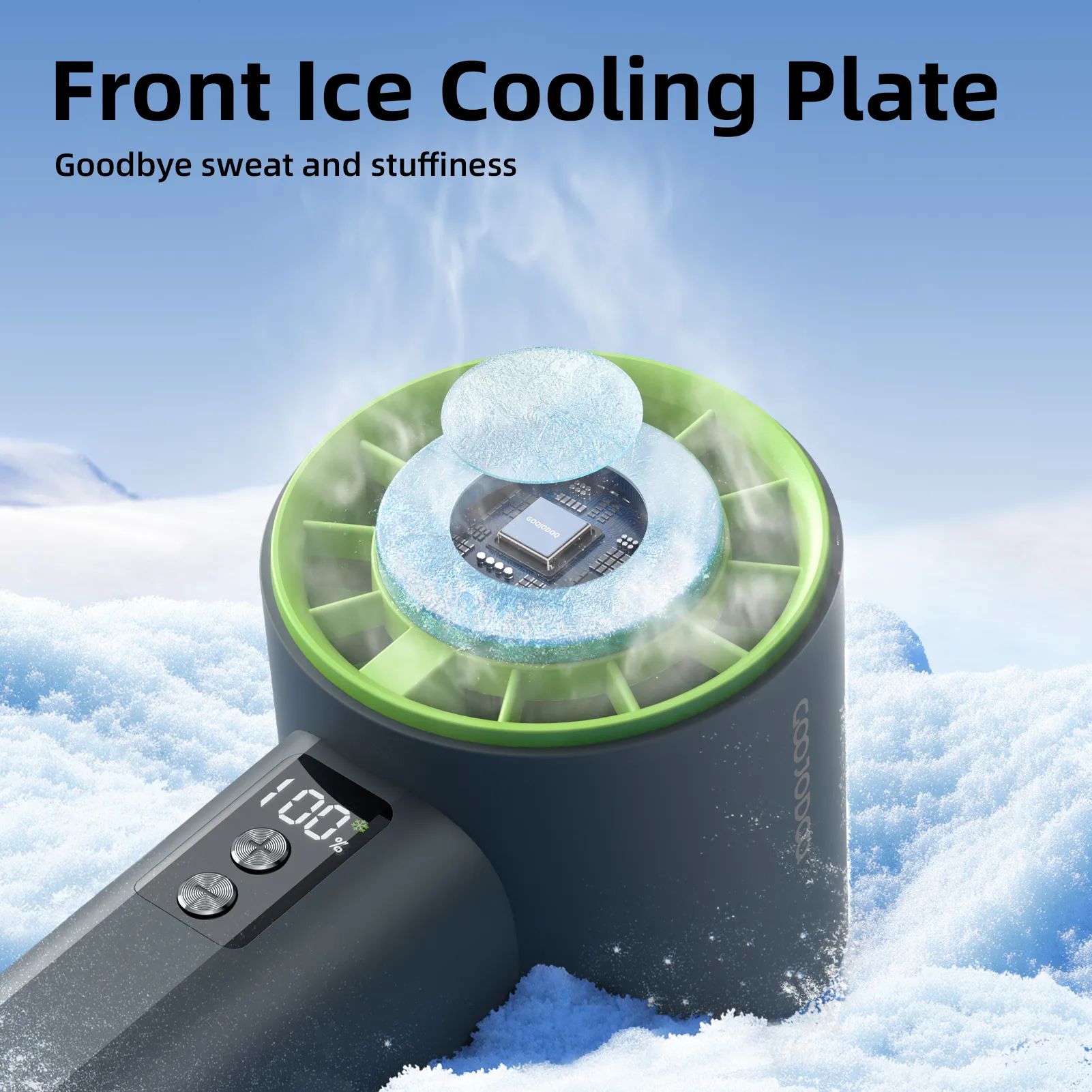
Sale
- 3-Month Extended Replacement Plan
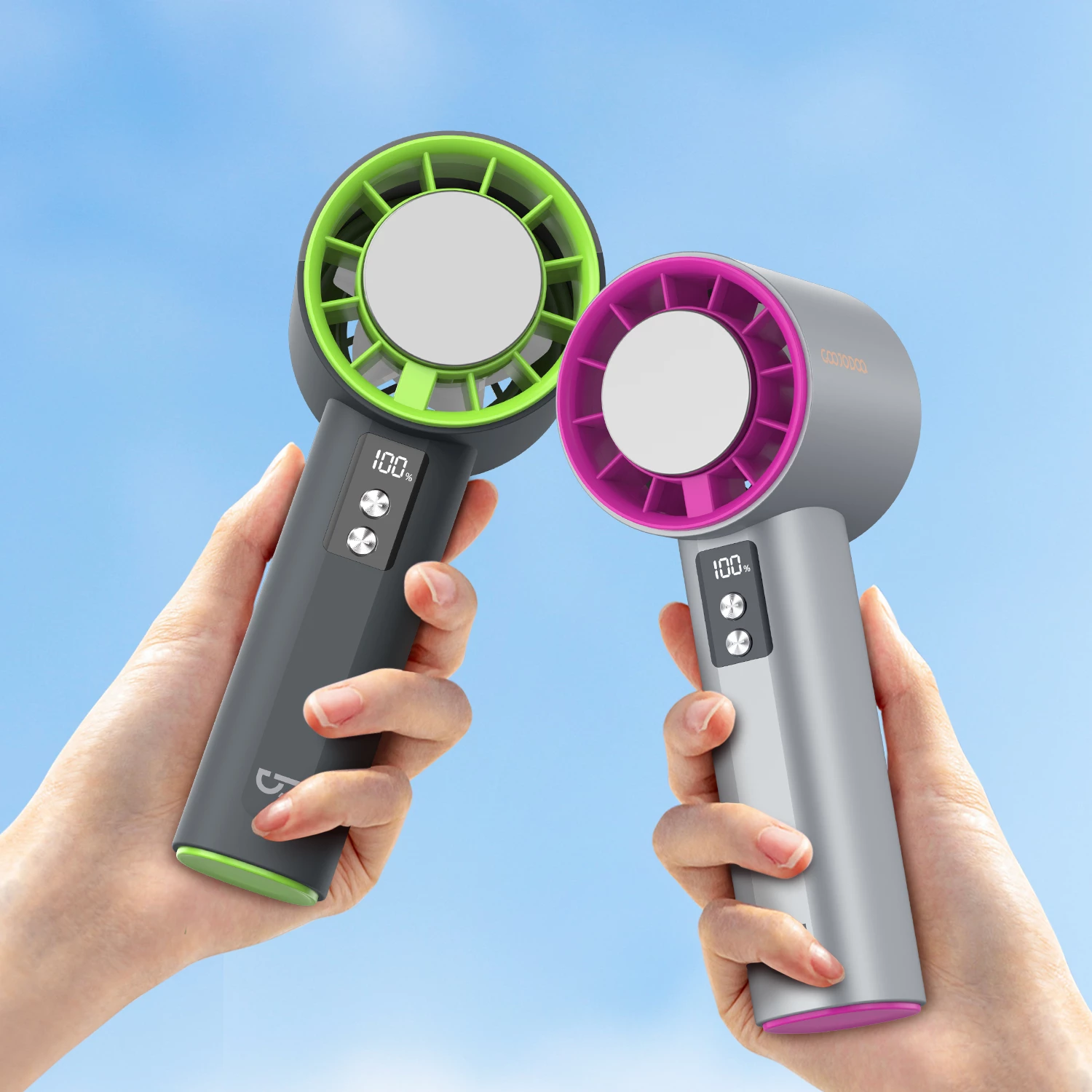
GOOJODOQ Portable Fans High-Speed GFS006
Original price was: ₱869.00.₱830.00Current price is: ₱830.00. Select options This product has multiple variants. The options may be chosen on the product pageSale
- 3-Month Extended Replacement Plan
GOOJODOQ High Speed Handheld Fan GFS001
Original price was: ₱827.40.₱680.00Current price is: ₱680.00. Select options This product has multiple variants. The options may be chosen on the product pageSale
- 3-Month Extended Replacement Plan
GOOJODOQ High Speed Mini Fan GFS007
Price range: ₱520.00 through ₱580.00 Select options This product has multiple variants. The options may be chosen on the product pageSale
- 3-Month Extended Replacement Plan
GOOJODOQ Foldable Portable Fan GFS003
Original price was: ₱523.95.₱489.00Current price is: ₱489.00. Select options This product has multiple variants. The options may be chosen on the product page
09Apr


 29Apr
29Apr
 30Apr
30Apr