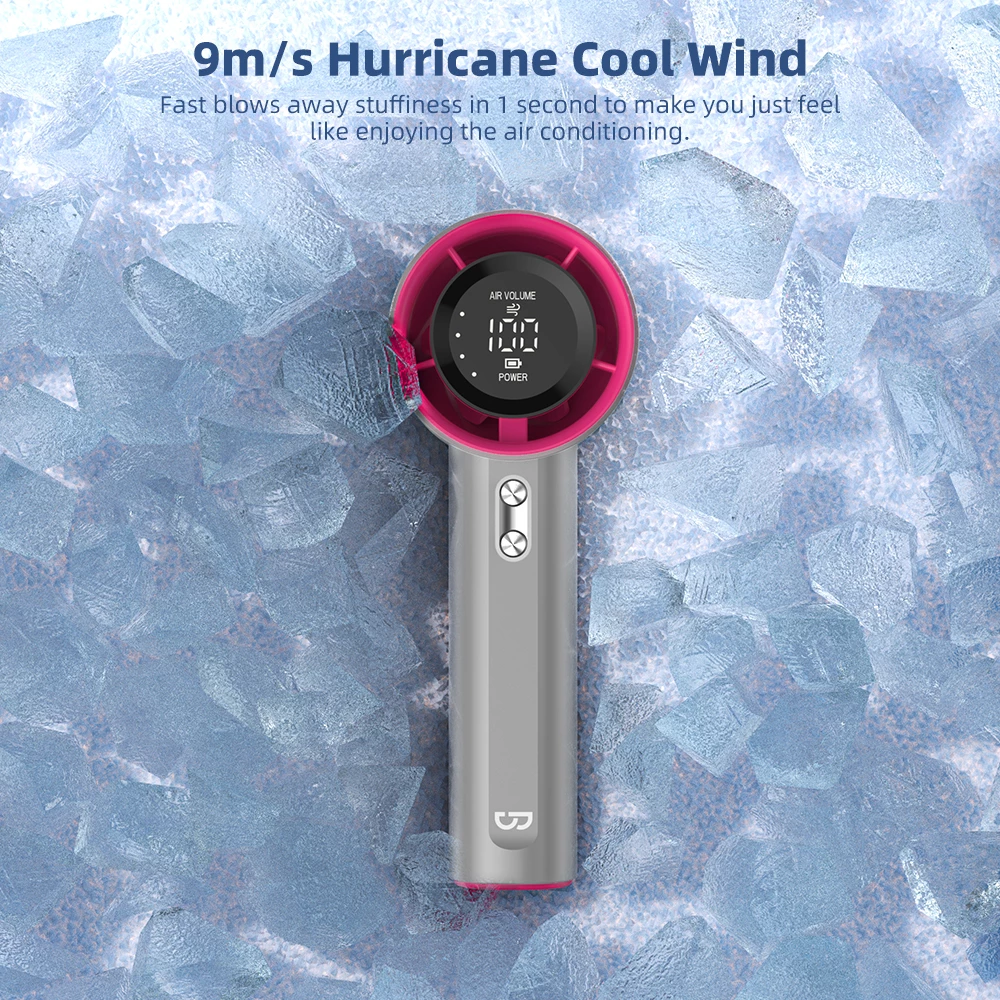
In the Philippines’ tropical climate, staying cool while working or sleeping is essential for productivity and rest quality. Portable fans have become indispensable companions for Filipino professionals and families alike. This comprehensive guide explores how to maximize your portable fan’s effectiveness in office and bedroom settings, helping you create comfortable environments year-round.
Whether you’re working from home in Manila, studying in a dorm in Cebu, or sleeping in a warm bedroom in Davao, the right portable fan setup can make a significant difference in your daily comfort. Let’s dive into expert strategies for optimizing portable fan usage in your most important spaces.
Understanding Office and Bedroom Cooling Needs
Office and bedroom environments have distinct cooling requirements compared to outdoor spaces. Understanding these differences helps you choose the right fan settings and placement strategies.
Office Cooling Priorities
In office settings, the primary goals are:
- Quiet operation: Noise levels must be low enough to avoid disrupting concentration or conference calls
- Consistent airflow: Steady, gentle circulation prevents stuffiness without creating distracting drafts
- Desk-friendly size: Compact footprint leaves room for laptops, documents, and other work essentials
- Long battery life: Essential for locations with unreliable power or during brownouts
Bedroom Cooling Priorities
For bedroom use, comfort factors shift:
- Silent sleep mode: Ultra-quiet operation is critical for uninterrupted rest
- Gentle airflow: Soft, diffused breeze prevents waking from sudden temperature changes
- Timer functionality: Auto-shutoff conserves battery and prevents overnight overcooling
- Safe placement: Stable design prevents accidental knocks during sleep
For more insights on portable fan selection, check out our complete outdoor activities guide which covers different use scenarios.
Best Portable Fan Placement for Office Desks
Proper fan placement dramatically impacts cooling effectiveness in office environments. Strategic positioning ensures optimal airflow while minimizing distractions.
Ideal Desk Positions
Position 1: Side-Angle Placement (Recommended)
Place the fan on one side of your desk, angled at 30-45 degrees toward your upper body. This position:
- Delivers cooling airflow without blowing directly on your face
- Keeps the fan out of your primary line of sight
- Allows easy access to controls without interrupting work
- Prevents papers from scattering due to direct airflow
Position 2: Behind-Monitor Circulation
Position the fan behind your monitor, blowing upward or across the screen. This setup:
- Creates room-wide air circulation without direct breeze
- Helps dissipate heat from computer equipment
- Remains completely out of your workspace
- Ideal for video calls where visible fans are distracting
Position 3: Under-Desk Airflow
Place a compact fan under the desk, angled toward your legs and feet. Benefits include:
- Cools lower body where heat often accumulates
- Completely hidden from view
- Reduces desk clutter
- Perfect for small workspace setups
Placement Mistakes to Avoid
- Direct face-blowing: Can cause dry eyes, headaches, and disrupted concentration
- Blocking ventilation: Don’t place fan where it obstructs room air circulation
- Too close to electronics: Maintain safe distance from laptops and monitors
- Unstable edges: Avoid desk edges where fan could be knocked over
Optimal Bedroom Fan Positioning for Quality Sleep
Bedroom fan placement requires careful consideration to enhance sleep quality without causing disruptions.
Recommended Bedroom Positions
Nightstand Placement (Most Popular)
Position the fan on your nightstand, angled slightly upward and away from direct face contact. This classic setup offers:
- Easy access to controls and charging
- Consistent airflow throughout the night
- Minimal noise disturbance when using sleep mode
- Compact footprint suitable for most nightstands
Floor Placement for Room Circulation
Place the fan on the floor near the foot of your bed, pointing diagonally across the room. This approach:
- Creates whole-room air circulation
- Reduces direct noise exposure
- Prevents accidental knocks during sleep
- Ideal for larger bedrooms
Corner Elevation Strategy
Elevate the fan in a room corner (using a small table or shelf), angled toward the bed area. Benefits include:
- Maximizes air circulation throughout the room
- Keeps fan completely out of walking paths
- Creates gentle, indirect cooling
- Perfect for households with children or pets
Sleep-Specific Fan Settings
| Setting |
Recommended Level |
Best For |
| Speed |
Lowest or Sleep Mode |
All-night comfort without noise |
| Timer |
2-4 hours |
Prevents overcooling, saves battery |
| Oscillation |
Off or Minimal |
Reduces noise and distractions |
| Direction |
Away from direct face contact |
Prevents dry eyes and morning congestion |
Explore our full portable fan collection to find models with dedicated sleep modes and timer functions.
Noise Level Management for Work and Sleep
Noise sensitivity varies significantly between office work and sleep. Understanding decibel levels helps you choose appropriate fan settings for each scenario.
Understanding Fan Noise Levels
Portable fans typically operate in these ranges:
- 20-30 dB: Whisper-quiet (sleep mode, lowest speed) – ideal for bedrooms
- 30-40 dB: Library-quiet (low-medium speed) – suitable for focused work
- 40-50 dB: Moderate noise (medium-high speed) – acceptable for casual office use
- 50+ dB: Noticeable noise (maximum speed) – best for outdoor or high-activity areas
Office Noise Strategies
For office environments, balance cooling with concentration:
- Use low-medium speed (30-40 dB) during focused work sessions
- Increase to medium-high speed during breaks or less critical tasks
- Turn off or reduce speed during video calls and meetings
- Consider white noise benefits: some ambient fan sound can mask distracting office noises
Bedroom Noise Optimization
For sleep environments, prioritize silence:
- Always use sleep mode or lowest speed setting (20-30 dB)
- Test fan noise before bedtime to ensure it doesn’t disrupt your sleep onset
- Some people benefit from consistent white noise – experiment to find your preference
- Position fan farther from bed if noise is still noticeable
Read our detailed noise level guide for comprehensive information on selecting quiet portable fans.
Battery Management for Extended Office and Bedroom Use
Maximizing battery life ensures your portable fan remains reliable during long work sessions and throughout the night.
Office Battery Strategies
Workday Optimization:
- Start your day with a fully charged fan
- Use medium speed (not maximum) for balanced cooling and battery life
- Keep charging cable accessible for top-up during lunch breaks
- A 4000-5000mAh battery typically provides 6-10 hours on medium speed
Power Outage Preparedness:
- Maintain at least 50% charge during typhoon season
- Keep fan charged even when not in regular use
- Consider having a backup fan for extended brownouts
- Low speed can extend battery to 15-20 hours in emergencies
Bedroom Battery Management
Overnight Usage:
- Full charge before bedtime ensures uninterrupted cooling
- Use timer function (2-4 hours) to conserve battery
- Sleep mode minimizes power consumption
- Most fans can run 8-12 hours on lowest setting
Long-Term Battery Health:
- Avoid leaving fan plugged in continuously when not in use
- Discharge to 20-30% before recharging for optimal battery longevity
- Store in cool, dry place when not in regular use
- Charge at least once monthly even during storage
For detailed battery performance data, see our battery life comparison guide.
GOOJODOQ Portable Fans for Office and Bedroom
GOOJODOQ offers several models specifically suited for indoor office and bedroom environments, combining quiet operation with reliable performance.
Recommended Models
GOOJODOQ GFS007 – Premium Desktop Choice
- Ultra-quiet motor (25 dB on sleep mode)
- 5000mAh battery (up to 12 hours on low speed)
- 360-degree adjustable angle
- Timer function with 2/4/8 hour options
- Perfect for: Executive offices, master bedrooms
GOOJODOQ GFS006 – Compact Workhorse
- Compact design fits any desk or nightstand
- 4000mAh battery (8-10 hours typical use)
- 3 speed settings plus sleep mode
- USB-C fast charging
- Perfect for: Small offices, student dorms, guest rooms
GOOJODOQ GFS001 – Budget-Friendly Essential
- Affordable without compromising quality
- 3500mAh battery (6-8 hours on medium)
- Lightweight and portable
- Simple one-button operation
- Perfect for: Multiple room placement, backup fan
Visit our GFS007 product page or GFS006 product page for detailed specifications and pricing.
Seasonal Adjustments for Philippines Climate
The Philippines experiences varying conditions throughout the year. Adapting your fan usage to seasonal changes maximizes comfort and efficiency.
Hot Dry Season (March-May)
During the hottest months:
- Use higher speeds during peak afternoon heat (12 PM – 4 PM)
- Combine fan with open windows for cross-ventilation
- Position fan to draw cooler air from shaded areas
- Expect reduced battery life due to increased usage
Rainy Season (June-November)
During monsoon months:
- Use fan to circulate air when windows must stay closed
- Position fan to reduce humidity perception
- Lower speeds often sufficient due to cooler ambient temperatures
- Keep fan dry and avoid outdoor use during storms
Cool Dry Season (December-February)
During cooler months:
- Lowest speed or intermittent use often adequate
- Focus on air circulation rather than direct cooling
- Battery life extends significantly with reduced usage
- Perfect time for fan maintenance and cleaning
Maintenance Tips for Long-Lasting Performance
Regular maintenance ensures your portable fan remains effective and quiet for years of daily use.
Weekly Maintenance
- Wipe exterior with soft, slightly damp cloth
- Check air intake for dust accumulation
- Verify all buttons and controls function smoothly
- Inspect charging port for debris
Monthly Maintenance
- Deep clean fan blades with cotton swabs
- Remove and clean any protective grilles
- Test all speed settings for consistent operation
- Check battery performance and charging time
Storage Best Practices
- Store in original packaging or protective case
- Keep in cool, dry location away from direct sunlight
- Maintain 50-70% charge during extended storage
- Charge monthly even when not in regular use
Frequently Asked Questions (FAQ)
Q1: What is the ideal fan speed for office work?
A: Low to medium speed (30-40 dB) provides optimal cooling without disrupting concentration. Adjust based on your specific noise tolerance and room temperature.
Q2: Can I leave my portable fan running all night?
A: Yes, but use the timer function (2-4 hours) to conserve battery and prevent overcooling. Most modern fans have safety features for extended operation.
Q3: How far should I place the fan from my bed?
A: Position the fan 1-2 meters away from your bed, angled slightly away from direct face contact. This provides gentle airflow without causing dry eyes or morning congestion.
Q4: Is it safe to use portable fans during typhoon season power outages?
A: Absolutely! Portable fans are ideal for brownouts. Just ensure the fan is fully charged beforehand and use lower speeds to extend battery life during extended outages.
Q5: How often should I charge my portable fan?
A: Charge when battery drops to 20-30% for optimal battery health. Avoid leaving it plugged in continuously. For daily use, charging every 2-3 days is typical.
Q6: Can portable fans help reduce room temperature?
A: Fans don’t lower room temperature but create a wind-chill effect that makes you feel 3-5°C cooler. Combine with proper ventilation for best results.
Q7: Which GOOJODOQ model is best for small bedrooms?
A: The GFS006 is ideal for small bedrooms due to its compact size, quiet operation, and 8-10 hour battery life. The GFS001 is a budget-friendly alternative for occasional use.
Conclusion
Portable fans have become essential tools for creating comfortable office and bedroom environments in the Philippines’ tropical climate. By understanding proper placement strategies, noise management, and battery optimization, you can maximize the benefits of your portable fan for enhanced productivity and restful sleep.
GOOJODOQ’s range of portable fans offers reliable, quiet, and efficient cooling solutions tailored to Filipino lifestyles. Whether you need all-day office comfort or peaceful nighttime cooling, the right portable fan setup makes a measurable difference in your daily quality of life.
Ready to upgrade your indoor cooling experience? Explore our complete portable fan collection and find the perfect model for your office and bedroom needs.









 09Apr
09Apr


 29Apr
29Apr
 30Apr
30Apr